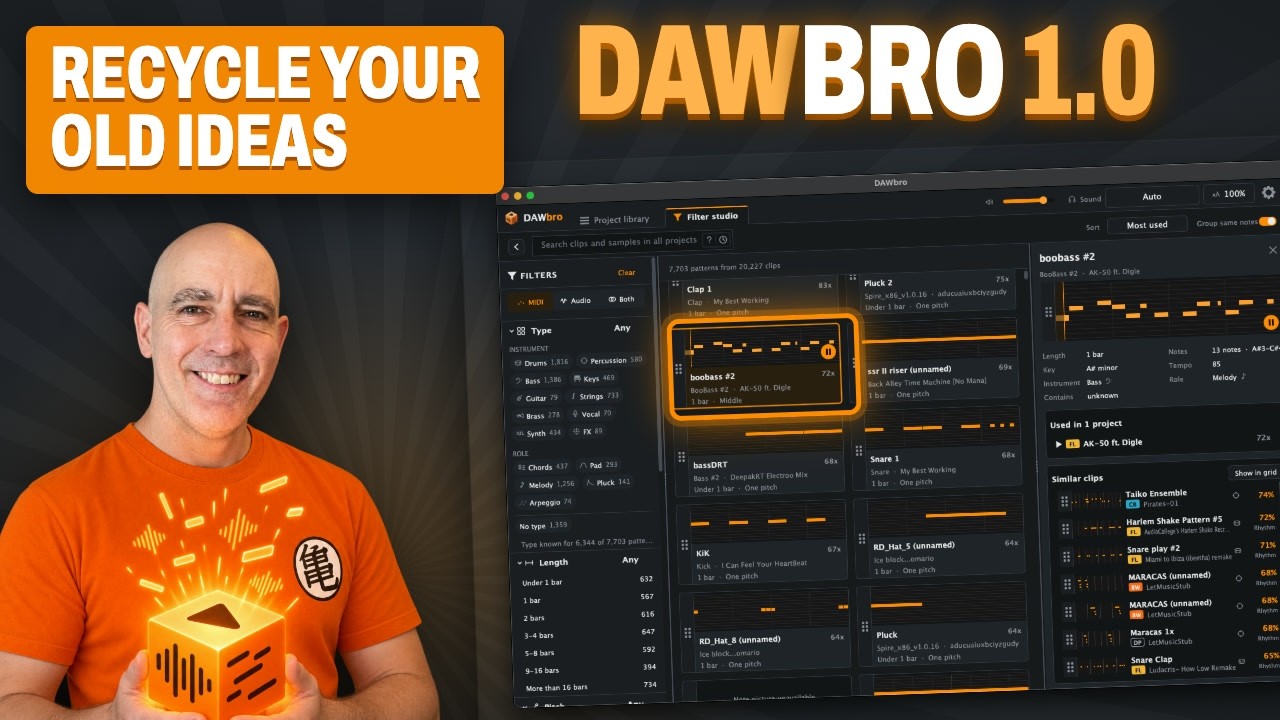
Every MIDI clip and sample from every project on your drive. Searchable, playable, draggable. Across ten DAW formats, without opening a single one.
DAWbro, from Ivo “ivoschi” Schmidt, is a new app for creating a searchable database for audio and MIDI ideas from all of your projects in one or multiple DAWs. This should be especially interesting to @Whying_Dutchman and @howard , but any of you who have a lot of existing projects and have difficulty finding an audio or MIDI clip, or a chord progression, for example, that you created in the past should find DAWbro super useful. Check out the video. It explains things very well. 29 € + VAT launch price. Will increase to 39 € sometime in the future. I don’t know what the US$ pricing is. Free trial available.
I use MIDIbro from Ivo Schmidt, in fact I was beta tester.
Reason: I have 100.000s of MIDI loops & songs, but only 1% of those loops is really usable, most is sh#t. So, I use it to find inspiration for beat loops etc. - and for that it’s great.
He makes very good & stable software with an reasonable UI (not everything is perfect though). Also, he’s just a nice guy from Berlin.
I won’t use DAWbro (yet), as I only use my own samples anyway, and those are organized perfectly , in true OCD manner
For anybody who needs to organize stuff, especially Ivo Schmidt’s software deserves a look for sure!
I found the link to MIDIbro at the very bottom of the DAWbro page. It’s up to v2.1 now. I’m going to pick it up. I’ve got a shipload of MIDI files in dozens of folders, so it could be really helpful. Thanks for the heads-up.
Except for some little GUI challenges, I only have on criticism: sometimes the mapping of MIDI drum files doesn’t work properly. I understand that you can manually remap with MIDIbro, but I don’t understand how to do that properly.
For many MIDI files you can just click on the file an pre-listen before use, but for some you need to go through some tedious process of remapping.
Or listen to whatever you get and try to “read” the visual representation and guess what it does.