Sorry, I need to continue asking! WHYING Dutchman, you know?
You say that a chain of effects can introduce phase issues. This can be heard and/or avoided.
But what does “avoiding” mean? Not using certain plugins? Using those differently?
If plugins don’t have an offset setting, I don’t see how this issue can be resolved systematically, especially with some plugins that might use more or less processing power, depending on use (ie amp simulations).
The more I think about it, the more I think that phase might either an non-issue for plugins and/or not easy to resolve (due to lack of offset setting and dynamic nature of some plugins).
Anyway, for my old ears the result of what Smart Chain does is great. But I am getting deaf, at least that’s what my girlfriend says
I thought about this a little more: I would think that this is not an issue with creating songs in a DAW, as all processing is non-realtime. Even when listening to a mix, the plugin can always look ahead.
So, no latency should be added to the final mix, except when latency is a feature by design (or just an effect a sloppily developed plugin),
This is surely different for realtime use of plugins, but Smart:Chain is explicitly NOT to be used for that.
Yes exactly. The important takeaways are that effects shift phase, and plugins that apply a lot of them may cause phase effects, for which you should listen and recognize and if needed, add/remove effects to compensate
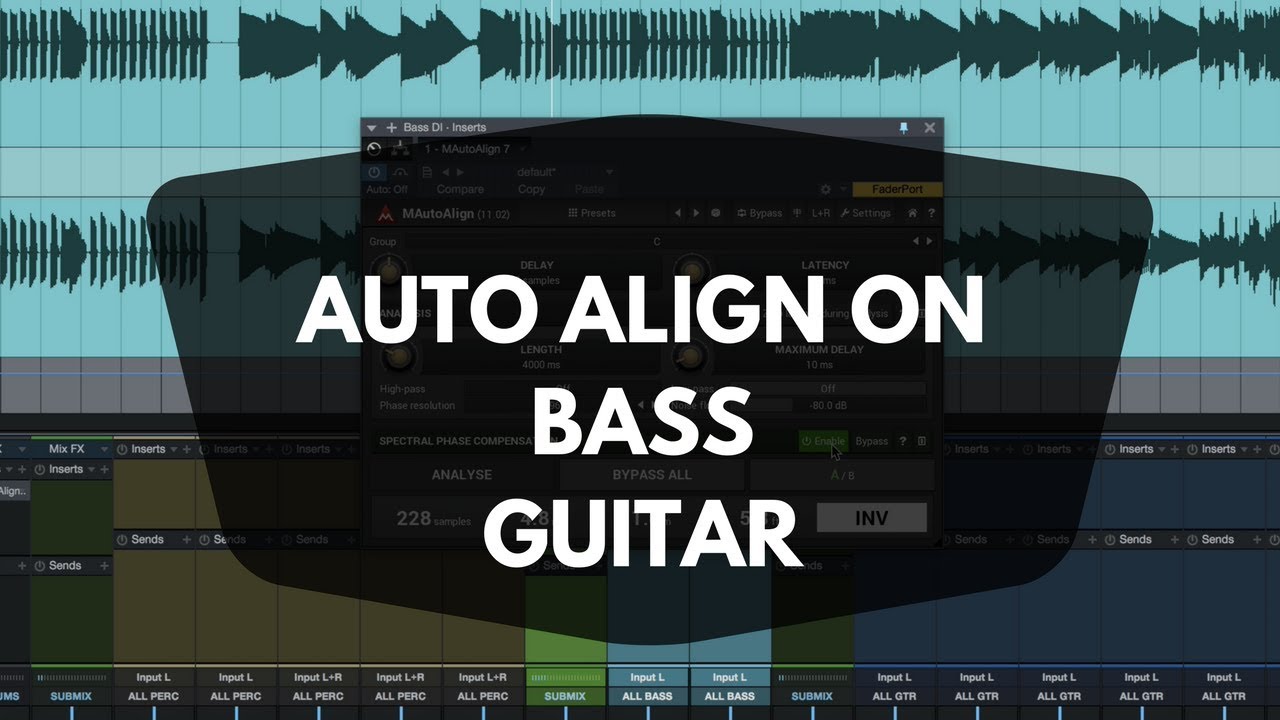
MAutoAlign is an awesome tool for eliminating phase cancellation issues. In one mode, it can also be used live with manageable latency. One live scenario is when you’re blending a dry DI bass signal with a wet signal that’s had some FX applied to it, introducing a delay vs. the dry track (around 9:00 into the bass video).
These videos are 8 years old, but are still 100% relevant.
But this is for recording with more than one microphone (quote from their site: “Phase cancellation occurs whenever you record anything with more than one microphone”).
I guess, this also works for my songs that have vocals on multiple audio tracks as well as recorded bass.
A plugin like this needs to be the last one in the chain, otherwise it makes no sense.
I might test it as soon as I find my own mixes dull.
Currently I am very happy with all mixes that I remastered with Smart:Chain, so don’t hold your breath
EDIT It does not work for MIDI tracks at all, so it would not solve the original issue that @howard mentioned (phase issues introduced by plugins)…
Ignore that. That is one way phase cancellation can occur, but another is simply multitracking audio (very common for vocals and instrument tracks). This will work with any audio tracks.
And yes, of course this will only affect audio tracks. It could occur with rendered audio from MIDI tracks as well (if you had the same MIDI notes generating audio from virtual instruments on multiple tracks with different effects) but this won’t help you there, unless you bounce the audio first.
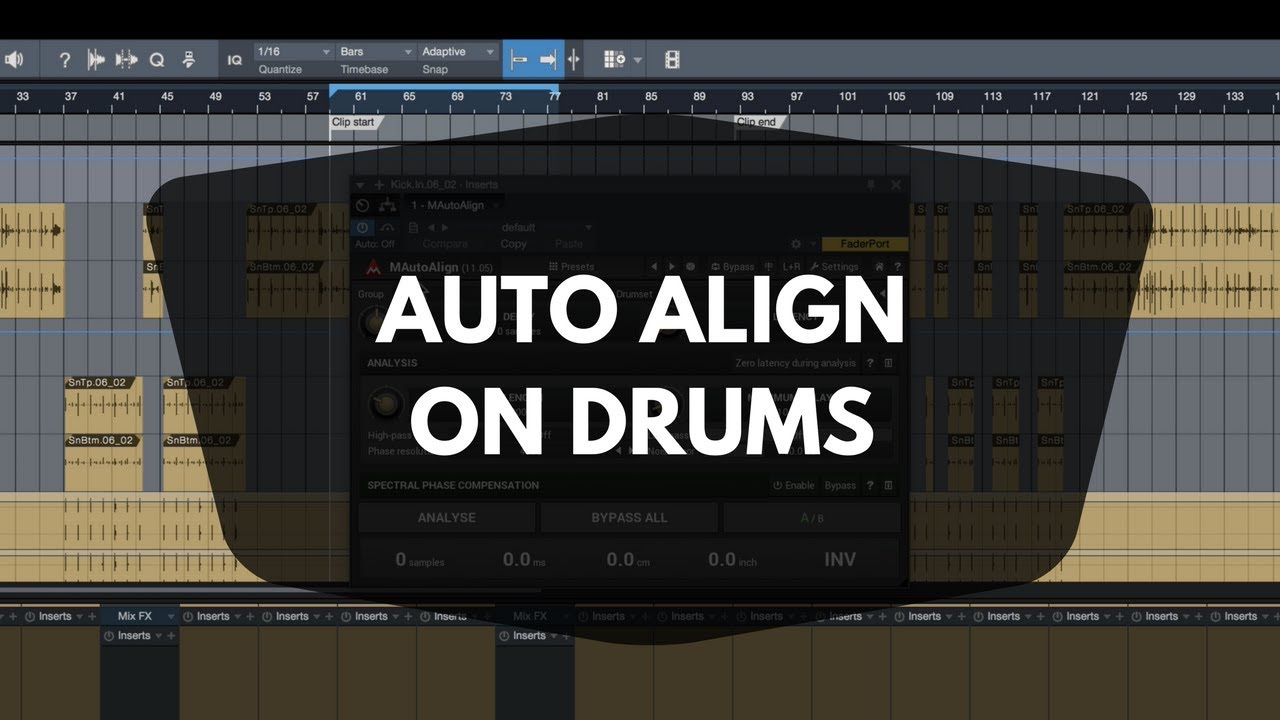
As @howard said, ignore this. Watch the bass video I included. It is much more appropriate for your needs. To generalize it, when you have one audio source that splits into two or more tracks that have different (or no) FX applied, the small to large differences in processing timing will cause out of phase conditions. The drum video shows the use of several groups using MAutoAlign in parallel. It is also very instructive.
The bass video mention InPhase by Waves. That’s what I tried to use before I discovered MAutoAlign. Its workflow sucked. I never tried the other phase alignment plugin he mentioned.
I will not buy any Waves stuff ever! Their license policy s#cks @ss!
Ok! But this only works with one complete continuous vocal recording, right?
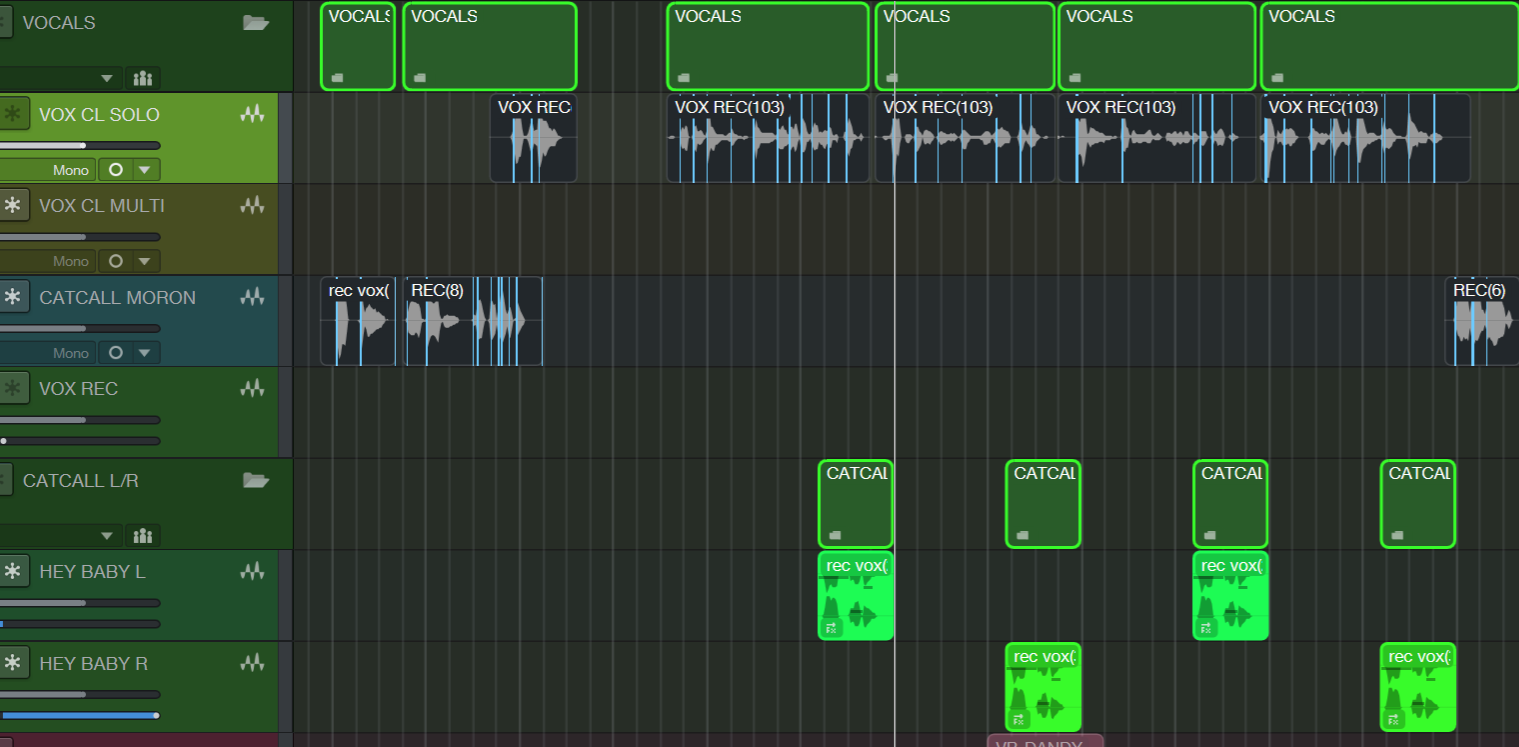
As I am working with a non-professional singer, I mix recorded vocals from several takes and/or have to correct timings of individual clips … sometimes song lines, sometimes even words.
It’s a lot of effort, really!
That means, the vocal clips per track are fragmented, like this:
I need to think about this. If the vocal clips are on a single track, then there would be no phase issue. But, once you’ve built the vocal track from clips, if you copy that track to a second track and then process it differently and blend the two tracks (like one dry and one with extra processing), then you would likely have a use case.
But, it’s getting late in the afternoon and I’m getting ready to shut down for the day, so I could have my head up my a$$ at the moment.
P.S. (or N.B., if that’s your preference)…
I just found out that the latest Fender Universal Control driver for my Studio 1810c is multi-client!!! The Focusrite Scarlett 4i4 is going back in its box and my Studio 1810c is coming back into the light. Woo hoo!
doesn’t apply for mac, its a windows thing. lets your dai accept multiple audio applications i think. like you could listen to a track on your daw and also music on a media player simultaneously. (and I just realized I have no idea why I’m answering for him cuz he would probably do a much better job explaining it )
And it’s not just that. For example, filters and EQ as effects - all filters (analog due to their circuit design, digital due to how we implement them) will introduce a phase shift. In fact, the most common way to implement the phaser effect is a cascading chain of all-pass filters.
If all components introduce all kinds of shifting, this is true not only for plugins but also for “real” pedals, amps etc.
Even cable length (for live gigs, possibly in large studios) could play a role.
To me, that seems uncontrollable and therefore a fact of life.
How did they resolve that in pre-digital times? I guess they didn’t, cause they couldn’t?
And some wonderful (sounding) songs were produced back then…
Single client ASIO drivers only accept one audio source at a time. For example, you have Windows configured to use the audio interface for its audio output and you play a YouTube video with a bass track that you’re learning. You have your bass directly connected to the audio interface, but you can’t run an amp sim configured to use ASIO at the same time. I do this ALL of the time, so I need a multi-client ASIO driver (one that supports two or more apps using ASIO at the same time). All RME drivers are multi-client, as are the Focusrite drivers. The Fender Universal Control v5 drivers are now also multi-client.
Great, right? I dug out my 1810c, swapped it in for my 4i4 and installed U.C. FAIL! Fender drivers don’t yet support Windows 11 ARM. F’me. I should have checked first. Since Studio Pro supports Windows ARM very well, I assumed U.C. did too. Nope. Yet another failed assumption. 1810c back in the box and 4i4 back in service.
Ah … maybe this was not implemented before, cause ASIO is traditionally for real time / professional applications, not YouTube per sé.
Still, it’s 2026. Good that Fender / Presonus acknowledge that people just wanna noodle around, along a YT video
For my use cases, I wished that you could select various drivers for various inputs and outputs.
When I switch to ASIO, I can only use one device (like the ES4). But not an additional input from the Windows driver (ie a USB mic) or another ASIO device (like the Zoom AMS-24).
They do. However analog components introduce a linear phase shift as frequency increases, and it’s a natural musical ramp. But still, they do. But again, this is a thing when you have multiple sources of the same audio, which leads to…
I have no idea how you drew this conclusion, but they absolutely could and did. Phase inverters are and were common hardware items and sometimes are built in to other gear too (pedals, preamps, etc).
Analog phase cancellation is even common within a single guitar itself if pickups are selected poorly and are out of phase, or if it is done on purpose for effect. In fact some have phase differences as different positions on selector switches as specific settings for different tones:
This is super common. Yamaha Revstar Standards, for example, have two positions on their 5-way switches that introduce different phase delays on one pickup, just to add this effect.
But this is just phase inversion, right? That’s an easy case!
For plugins (and hardware), we are likely talking milliseconds. And this, to me, seems hard to resolve…
Anyway, to get to the original question about phase issues and an all-on-one solution like SmartChain - I’ll do it like you: if it sounds bad and I have ruled out anything else, I will start looking for phase issues.
But for now, the results are impressive … and I haven’t even tested my instrumental/electronic songs, which should be an easy use case: vocals and real instruments are the proof in the pudding for solutions like Smart:Chain.


 )
)