Ah, good old Kilohearts. I have that - I’ll try that!
I missed this deal, unfortunately:
d16 Repeater on KnobCloud for $15; could also check the KVR buy/sell forum
Ok, next issue: for a song I’m working on, I need a US voice (in fact two : one male, one female). More like a friendly chatting voice over, not singing, not rapping - but rhythmic & fitting to the song.
As I speak like this

and my girlfriend speaks like this

we cannot do it ourselves, obviously as it needs to sound truly American!
For now I have used Revoicer, an AI voice service that I use for presentation videos. It’s ok-ish.
But I need to get the voice-over to match the beat. I want to avoid auto tune, cause it’s the devil.
Is there a way to adapt speech to the beat, without making it sound like a robot that’s eager to destroy humankind?
Many. You’ve ruled out one of the best (simply move the vocal parts in Melodyne).
Another is to cut the recorded audio into smaller samples and position them yourself against the correct beat, or quantize them. Many DAW will automatically detect the transients at the starts of words and split the audio for you, and all can quantize.
Another is to see if the DAW has a “quantize audio” function (like, say, Logic) that can do this all for you.
I have the superduper light version of Melodyne. Everything needs to be done manually. Too much effort.
And the “quantize audio” function within Studio One Pro s#cks for vocals. It’s unusable.
It sounds like this:

I did it differently now: I used the free IK Multimedia ReSing version to make the ReVoicer voice-overs sound a little more melodic and natural. Improvement is subtle but ok.
As the vocals should have a conversational quality, it’s good enough for my purposes.
Maybe even better, as it enhances the dramatic effect I am looking for.
!!! MIDI OVERLOAD ISSUES !!!
Maybe this helps someone else: the last few days I had some severe MIDI overload issues, resulting in stuttering and crackling of my track when playing back a project in Fender Studio One Pro, even on my highly powered (Windows) laptop.It went to a stage where I could not work at all anymore.
It drove me mad!
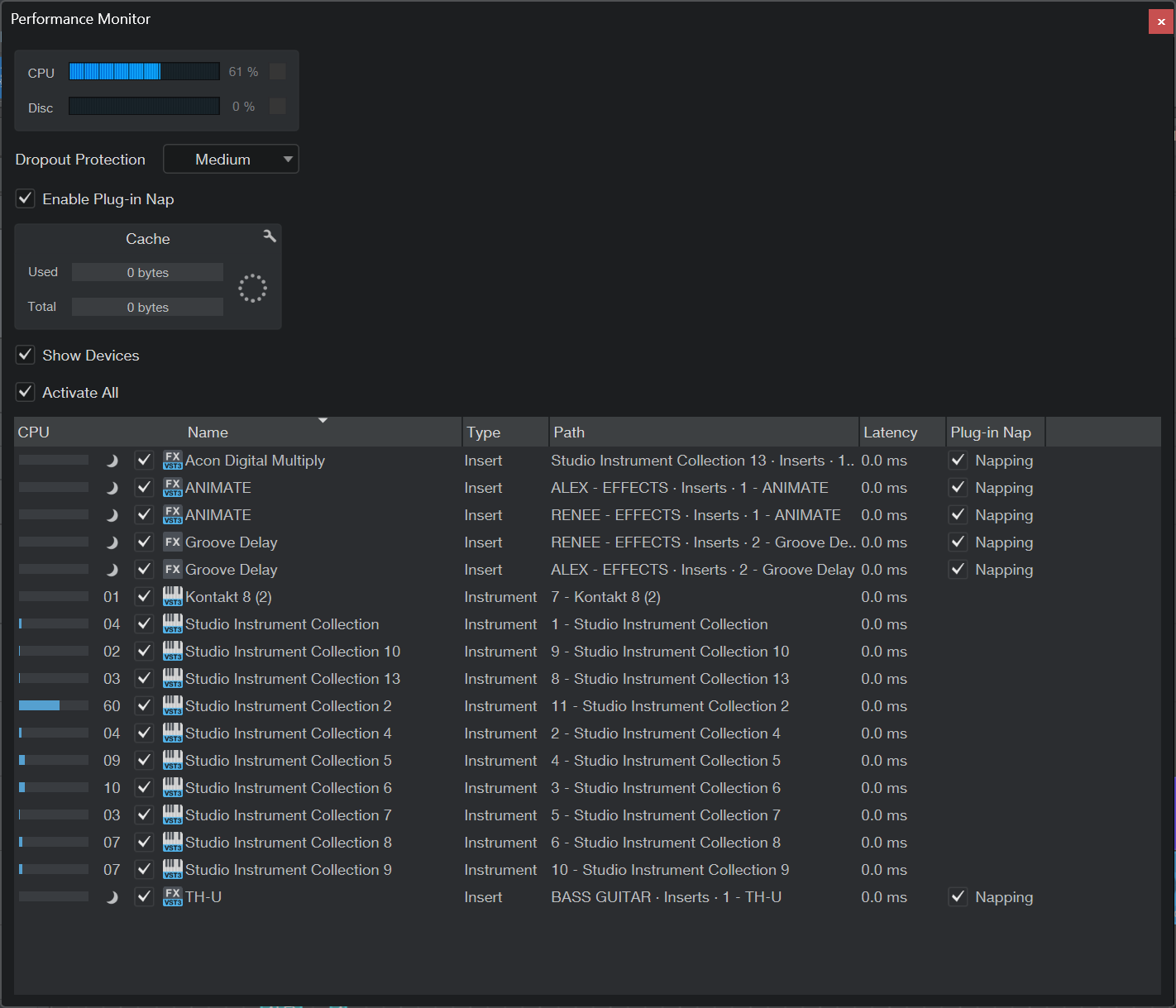
After a lot of despair, I found the MIDI Performance Monitor in Studio Pro. It lookes like this:
You can see that one Instrument from the AKAI Studio Instrument Collection (#2) eats up a lot of performance. It’s an arpeggiator effect.
F#ck!
I could solve it by freezing the track (rendering it to audio, in a way that I can revert to instrument when necessary).
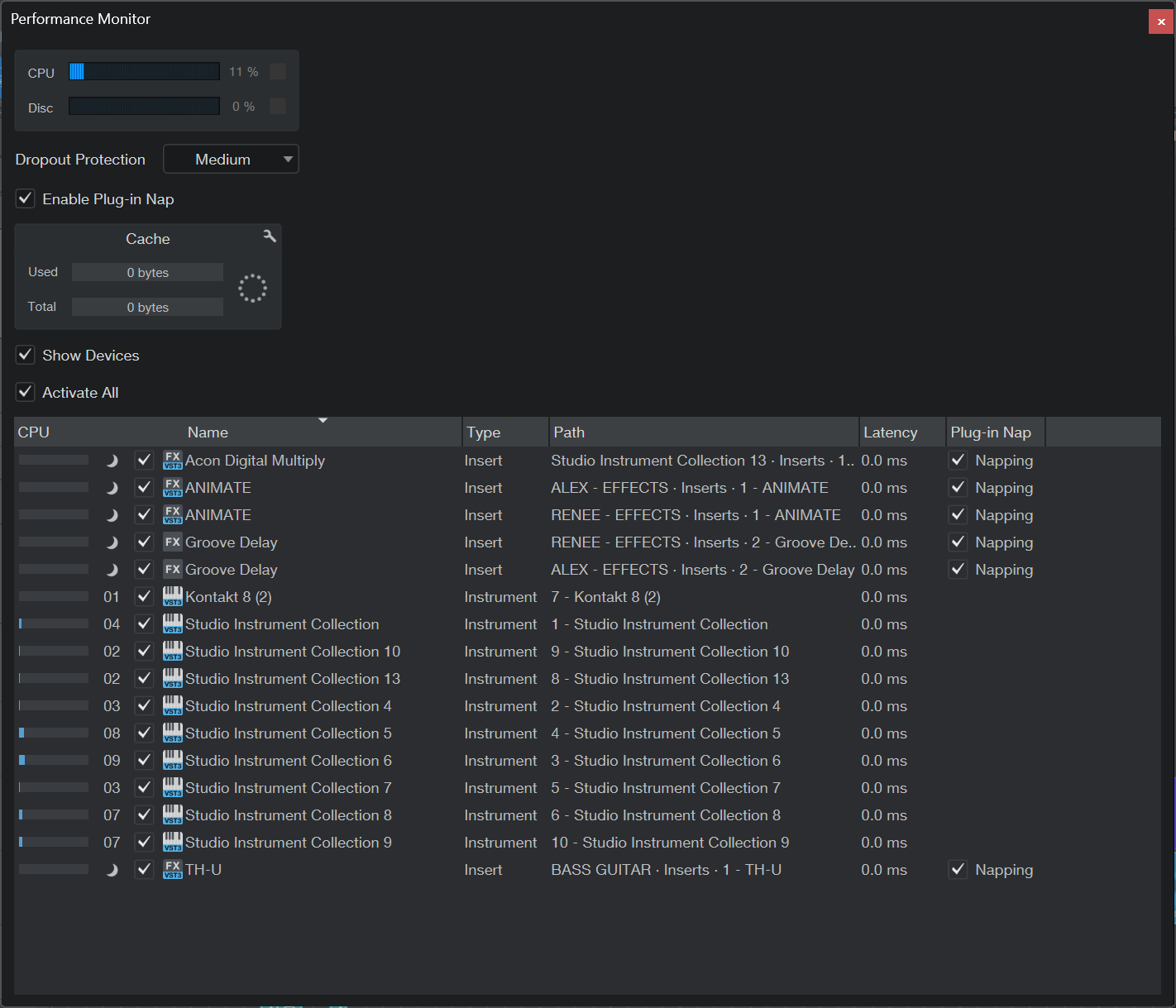
Now it looks and sounds OK:
So, if anybody has this issue:
Yep. This is commonly called “bouncing” the track, and is a super common technique.
Good to know!
I found it interesting that one simple plugin preset could bring down my machine, as I can play most demanding games, no problem.
Also, I really don’t do anything complicating … yet.
AKAI’s studio instrument collection is (and sounds) great for getting quick results, but it takes too much performance, especially when using an arpeggiator.
I’ll try to avoid it next time…
Another lesson learned!
There are plenty of good and efficient synths out there 
Yeah yeah yeah, I know!
I have some great synths, also an efficient arpeggiator plugin. But the use of an arpeggiator was an afterthought, just to make some parts more dense.
So, I browsed through the presets, found one that fits 100%, and didn’t want to delve to deep into the topic (for now).
Still it does not feel right, as I really want to build tracks from the ground up, and not use anything the resembles a premade loop. That’s lazy and not making art!
I like building my own but there’s also a lot of great loops based music out there. In fact, google the “Amen break”.
That’s a great one!
While listening, I immediately had several tracks in mind, mainly jungle and breakbeat … and of course the Prodigy. Which the guy in the video above confirmed.
But: I know quite a few “bedroom” producers here, and most just use presets, complex samples and loops, so the stuff they make sounds good (sometimes), but not original.
It has no soul and is like everything else I have heard a million times before.
The music they make is danceable, forgettable … and easily replaced by AI. It’s just reshuffling of existing stuff. That’s a nogo for me.
I want to avoid that - but of course, my results take looooooong, I have to overcome more obstacles (and learn) and my tracks are definitely are not as polished as their stuff.
Well, f#ck it
Look at them as samples. They can be used for both good and evil
I want to make a song based on my sampled coffee machine. That means: ONLY use samples from the coffee machine!
Unfortunately, the volume of most of the samples is quite low, but there are some heavy peaks.
It looks like this:
The resulting audio clip will be used in my CR8 sampler.
I want everything compressed in a way that the peaks have a similar volume as the rest.
I created a raw draft manually, how it should be/look like, but I would like some magic that does it automatically:
I tried to normalize and compress in Audacity, but that does not give good results.
Any ideas?
first off, stop applying effects of any kind in Audacity, it’s the DAW workflow equivalent of herpes.
Saying you want the peaks to be the same level as the average is almost assuredly not what you really want; it’s the same as saying “I want to compress the shit out of this so much that there is no dynamic range”. If you are going for a robotic effect the effect you want instead is a vocoder.
Hahaha - yeah, right on!
Nope.
I want to use all sound clips I can get out of the sampled coffee making process, which has these phases:
But those phases have sub phases, ie
I hoped that I did not need to normalize everything individually, as there are many possible samples coming out of that machine. It would take a day for me to clean up that sh#t!
I’m dancing and singing to the coffee maker doing its thing anyway, so why not make something out of it?
In this case I would get the daw to automatically slice at the transients for you, then select the whole track, and normalize
Cool! Will try that!
I experimented with Herpes in the meantime, and put some heavy-heavy-HEAVY limiter on the sample.
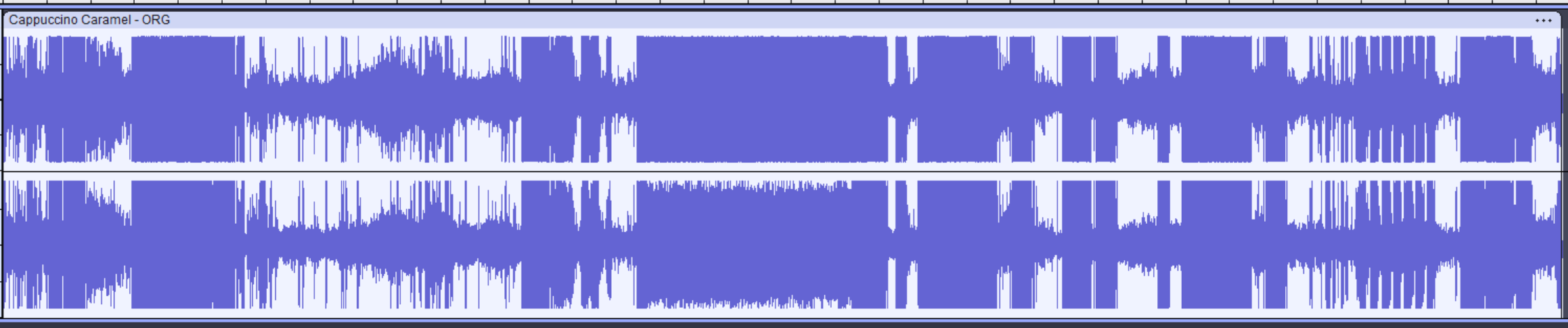
It looks like this now:
Terrible look, but it sounds great. I could dance to it, no problem!
This would be sufficient for my plans, but I’ll try the slicing transient method too.
Pushing up in to a limiter is the exact equivalent of what I said above (“compress the shit out of it until there is no dynamic range”).
That’s fine but still don’t do it destructively in Audacity, that’s a terrible plan. Instead just drop the raw audio in to the DAW and apply the limiter there.
It sounds similar but it’s massively different in a critical way - once you do an edit in Audacity you are stuck with it forever, like herpes.
In the DAW, changes and effects are layered nondestructively and can be changed at any time.
This is hugely important to understand.
Cool - will do!
The Herpes method (c) results in this:

I especially like the clip that results from 0:36 to 0.54. This is what makes me dance every time I make a cappuccino caramel! It’s ideal for hardstyle techno…