Sorry - one more.
What equipment/ software did you use to record & playback the music?
Hey Phfinman,..being a beginner bassist myself, and for the skill level I’m currently at, I didn’t require anything too expensive. I chose the Yamaha BB234 as my starter bass. My research on bass guitars told me to go with the AK 47 of bass guitars. Once setup,.. I find the action and sound (to my ears) very pleasing. Note,..make sure you have a decent practice amp. I am using the Fender Rumble 40. For the price point it’s awesome! The fact that it has the capabilities to have an AUX in for the computer and head phone out jack allows me to drift off in bass lessons for a long time. lol I hate when life gets in the way! lol Good luck with your decision fellow bassist!
No worries ask away.
here’s the list of potential gears you can use I posted this a while back
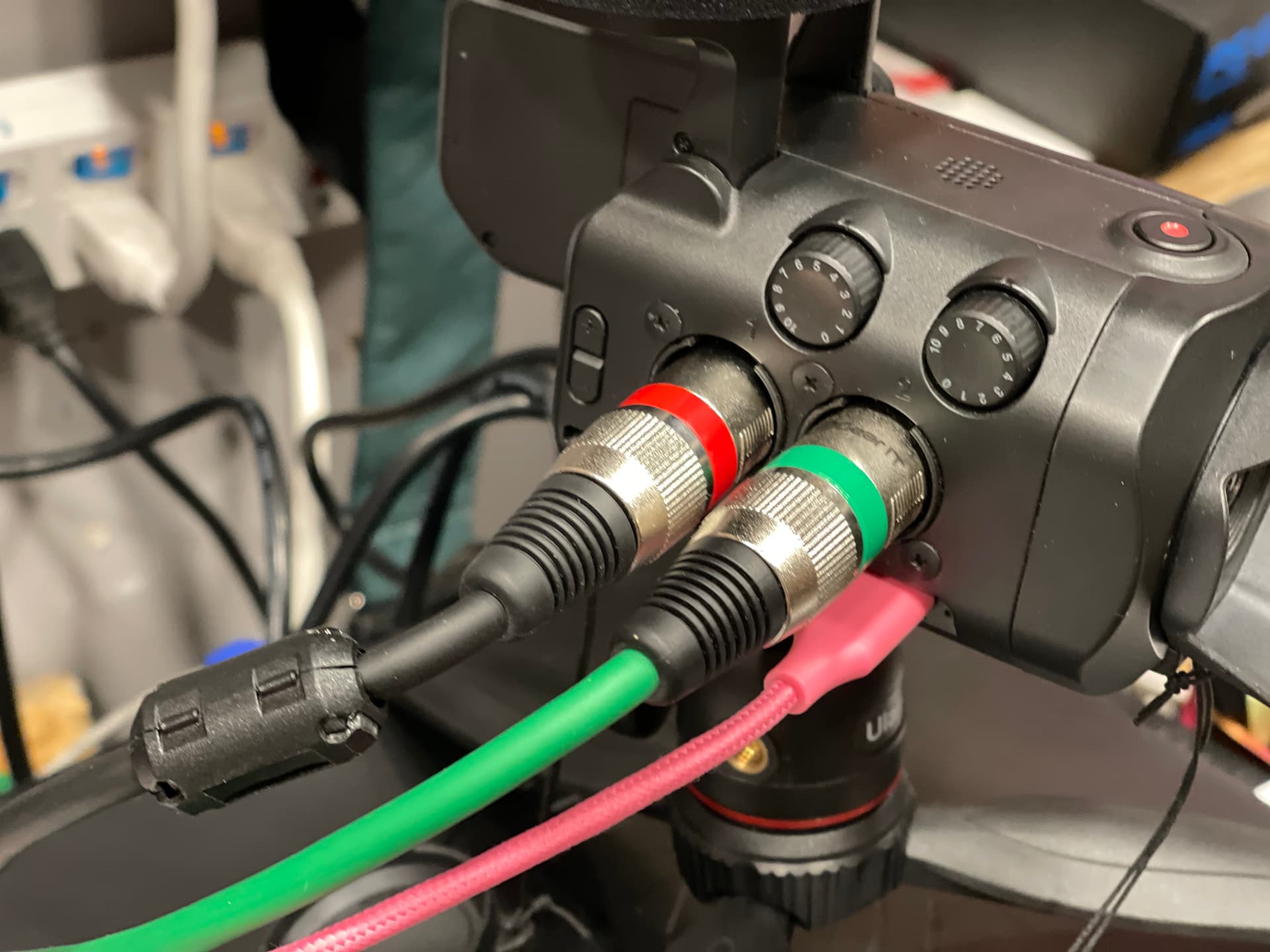
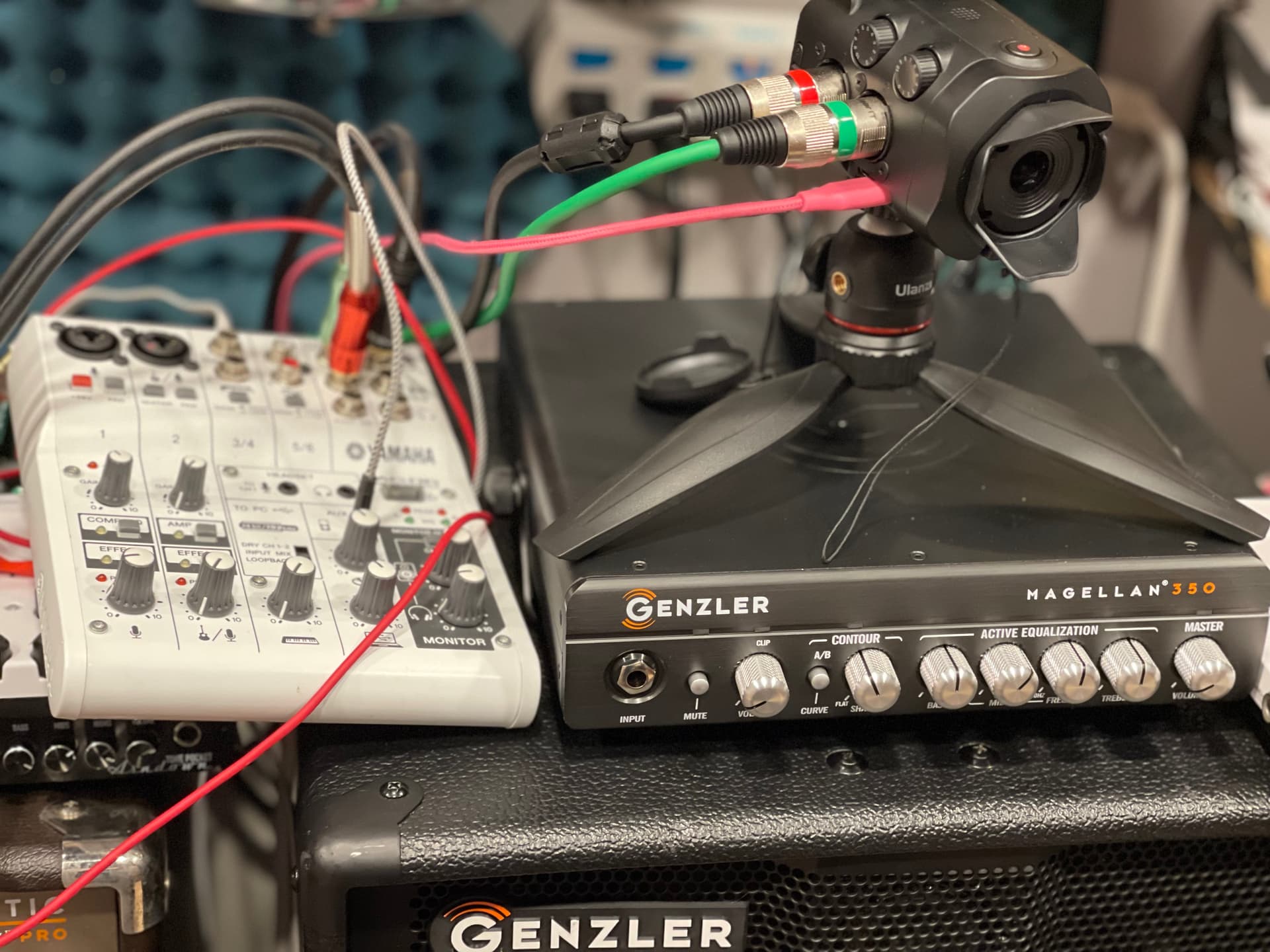
Camera and Audio Interface - Zoom Q8N 4K
I use Moises to make the Bass-less track
I use my iPad Pro to play back since it has no phone jack I use the DAC dongle like the Apple Dongle to connect to the Q8N Aux port.
There are several ways to do this,
I can connect the bass directly to the Q8N on Channel 1 and music on Channel 2 by 1/4” to XLR cable. You can also get the accessory option to switch the XY mic to the combo 1/4”/XLR and connect everything via 1/4” instrument cable.
I use the desktop mixer for this and just use the 2 XLR ports as stereo in.
After recording all of the files (depending on your preference) will be on the micro SD card then just transfer it to your device of choice Mac/ iPad/ or even iPhone.
I made this video on my iPhone using the Roland GoMixer Pro straight from my Phone. pretty neat.
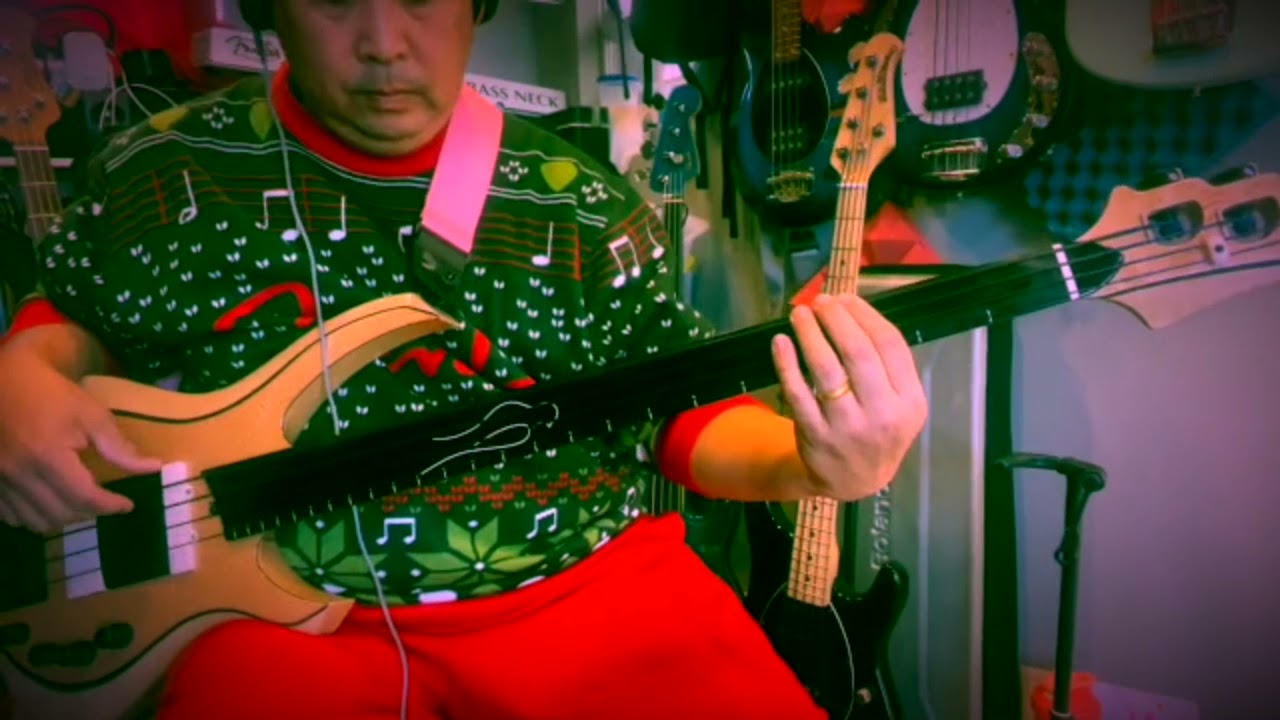
If you are older and it means lightweight ist key, Ibanez EHB might do the trick. I have the 1000SFM, regular frets but Shortscale which is only 3,1-3,2kg. The sound is rather modern but you can tweak it a lot. Has cost me around 600 USD/550EUR second hand.
Ibanez just introduced the EHB 600 Series for players on restricted budgets. It’s a headless bass but definitely a monster of its own.
Nice. Looks like the Q8N if quite versatile. I’m a little frugal but sometimes GAS bites hard. However, information is free and I think your operation has given me an idea for a great way to accomplish my requirement of record and play B2B lesson work and bass cover ready with my bass track added. I have a lumix G85 MFT camera that can record high def video as well as audio via a 3.5 mm input. So with the aid of a couple of adapter cables, UMC202HD and the UCA222 (back ordered but I’m substituting my old Bose wave radio RCA ins and outs for digital to line level) I think I have a nice recording option. Thanks for your info. You have a great setup.
If you want to get fancy, you can get a time code generator and record that on one channel of your camera audio and on your dedicated audio recorder, then have precise sync to maximize your productivity in a non-linear workflow. Then audio and video never get out of sync.
@Al1885 do you timecode or manual sync?
I do that visually.
I have not had the need to time code it yet. I’m doing some videos for my kids and was thinking about taking the timecode route too. Hmmm! another thing to add to my work flow, 
You don’t need to use time code.
I produce and direct long-format videos for my clients. On a shoot with audio on, I have my DP start rolling video, the sound man roll the external recorder, then a crew member either uses a clapboard or just claps hands once on camera.
In the edit, it’s a breeze to sync the clapboard audio track with the video track. Easy peasy.
That’s kinda what I’ve been doing. Just some fingersnap to get a spike then it’s a visual matching.
The hardest part is how to transfer what I have plan in my head to the final version.
The hand clap is definitely in my budget.
After thinking about it (an occassional event) why would I have any sync issues if I’m playing over a sound track being fed to the camera audio input that is simultaneously recording video? Am I missing something?
No that’s why I have my setup. Just point and shoot with that super wide angle I don’t even need to set the frame.
We were referring to a production setup that includes a video camera and a separate audio recorder capable of recording far better sound quality than most video cameras. They are not connected in any way. Therefore, they must be synced in the edit. That’s the purpose of a clapboard or a hand clap recorded simultaneously on each device: to have a visual and audial reference.
This is the filmmaking process used since talkies were invented in 1927, for the film “The Jazz Singer”.
Yep. I got that. I’m in the process of designing my system. 2 use cases. One is to enhance B2B learning by watching/listening to my playing of the lessons (second time around). Second is to start is to prepare covers. I’ve reviewed the instructions found on the forum and I may eventually go that route but for now I need to focus on practice therefore the quick option - one that fits in my brain. There are intricacies to the separate tracks that I dont understand - like what software is needed to merge the audio and video. The audio in my case will be coming from my UMC202HD. I dont yet know what my camera will do with the signal but will know soon. I’m being conservative with my asks so I dont wear out my welcome in the very cool forum by not doing my work and testing. But any assistance and advice it greatly appreciated.
The only software required for post-production is a nonlinear editing application. There are many available. Personally, I’m a Mac guy since 1984, and I’ve used Final Cut Pro since Apple first offered it. It eventually evolved into a totally unique professional version: Final Cut Pro X (FCPX).
I import video footage from the camera and audio files from the external recorder into an edit project in FCPX. Then I move the audio track so that the clap sound wave syncs with the scratch video of the video track. I then turn off the scratch track and everything is synchronized and ready to edit.
This is a down and dirty description of the process. Each editing application will have its nuances and procedures. Some are very basic while others are very involved and more complex. But even a basic editing application should be able to accomplish this workflow.
Thanks - good info. And that’s the gap I need to fill. I’ve used Pinnacle in the past. While it’s for intermediate users - still pricey. I’ll need to research PC recording options if the first setup isn’t adequate but I’m hopeful. It’s been a very long time since my drummer days - renting studio time wasn’t too bad 40 years ago. 
I use a super-simple approach…
If I know the song well, I can complete the process in 30 minutes. If I keep making mistakes, it can take a little longer 
For just listening to stuff and playing along, I simply use my iPhone, Bluetoothed to the ME-90B. Prior to buying that pedal, I just used a cable into the Aux in.
nowadays if you can do things on say an iPad it would be pretty simple. You can use iMovie to edit. It’s plenty powerful and it’s free. I did some on my iPhone.
Ibanez sr300, plays very well