Currently I’ve been practicing with an amp, bass, smart phone, tablet and a bluetooth speaker. It’s worked out ok. Usually I’ll play music from my phone through the bluetooth speaker and play along. If i want to record, I’ll record with camera and mic on the tablet set in front of my amp. it works but its not ideal.
Needs and wants:
I would like to have better quality audio recordings that I can send to others digitally.
I would like to be able to edit songs. Not for production per se, but be able to remove the bass section of a song so I can add my bass to it.
I would like this to be a permanent/dedicated practice area. I wish to stop the constant juggling of equipment and cables. Ideally I’d like to be able to power up, plug in a bass, hit a few buttons, and start playing. When its time to record, I’d like to hit another few buttons and start recording.
Current hardware:
Besides the items above, I have a Scarlett Solo interface, a laptop, headphones.
I don’t have DAW software yet. That said I’m fully entrenched in the PC and Android world. I’m also without monitors at the time of writing this. I do have a couple of practice amps laying around. Rumble 15 and Markbass 101 Blackline. I also have the boss katana 210, but thats dedicated for rehearsals and gigs for now.
What DAW to you recommend for PC or Droid? What additional equipment do I need? What would you add that really improved your work flow?
Lol. Ideally, I’d like to spend as little as possible to get up and running and make upgrades as my needs demand. So $0-$1k for 2026. Beyond will be determined by how well the gigs pay this year.
I can’t comment on the DAW as I’m Apple all the way and use GarageBand - it’s free and it works for what I want to do with it.
Regarding my ‘studio’, its a Hotone Ampero. It is a multi effects pedal that also works as an interface and a silent practice solution. I also gig with it (I use it for a number of the effects and also as a tuner). The Ampero is permanently on my office desk top - turn it on, plug the bass in and I’m away. I have a couple of amp, but only use the larger one for gigs. Actually, I do need to sell one of them!!
I’ve was checking this out earlier but the reviews aren’t really glowing. It seems like a new thing as they’re only on version 1.1. Maybe it will improve. I’ll add it to the pool.
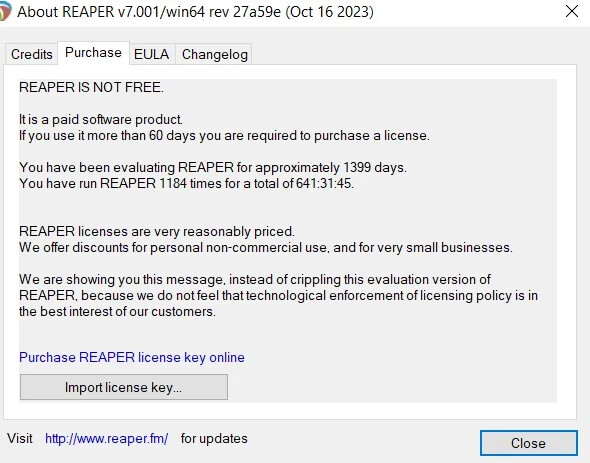
Reaper is pretty awesome, and has been around for awhile. I have the free(ish) versions of both that and Cakewalk on my laptop and we tend to gravitate toward Reaper about 90% of the time.
Everyone in my household uses it (daughter plays guitar and sings, son sings, wife plays piano) and most of them aren’t super tech savvy. No one has had any issues with the software after I showed them how to arm the interface for recording, but this is standard. We have more issues with the physical plug-ins around here because they can never figure out what goes where