Hi everyone,
I built a tool to stop losing track of my settings, and it’s reached a point where it’s polished enough to share. It’s called Presetbook; it’s open-source, free, and runs locally on my machine.
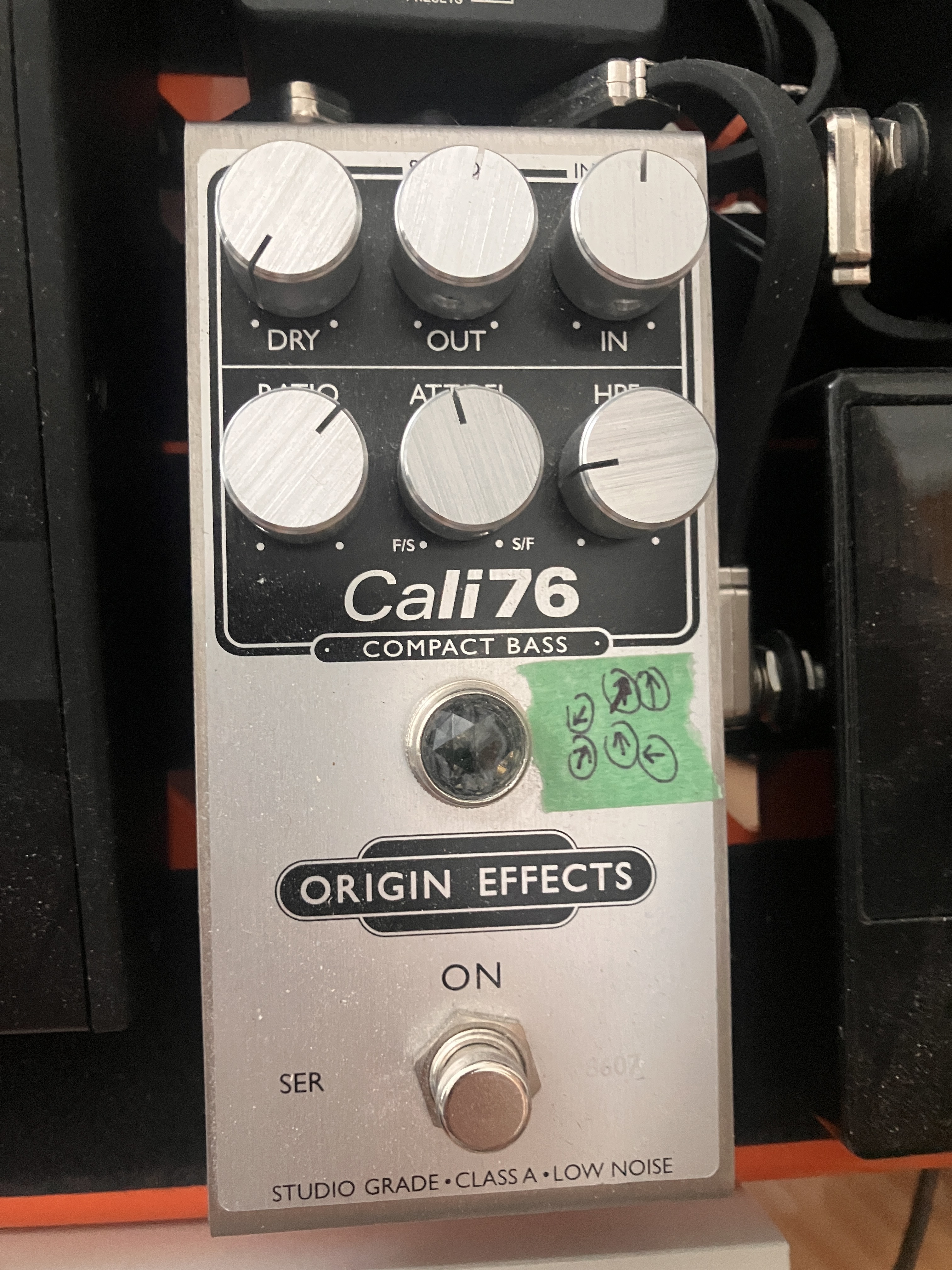
The problem it solves. My settings used to be scattered across notes, photos of front panels, and Reaper screenshots. They were unreadable three months later: “Bass at 6” means nothing when the knob has a center detent and there is no “6” marked on the faceplate.
So, Presetbook displays each setting exactly as it appears on the hardware.
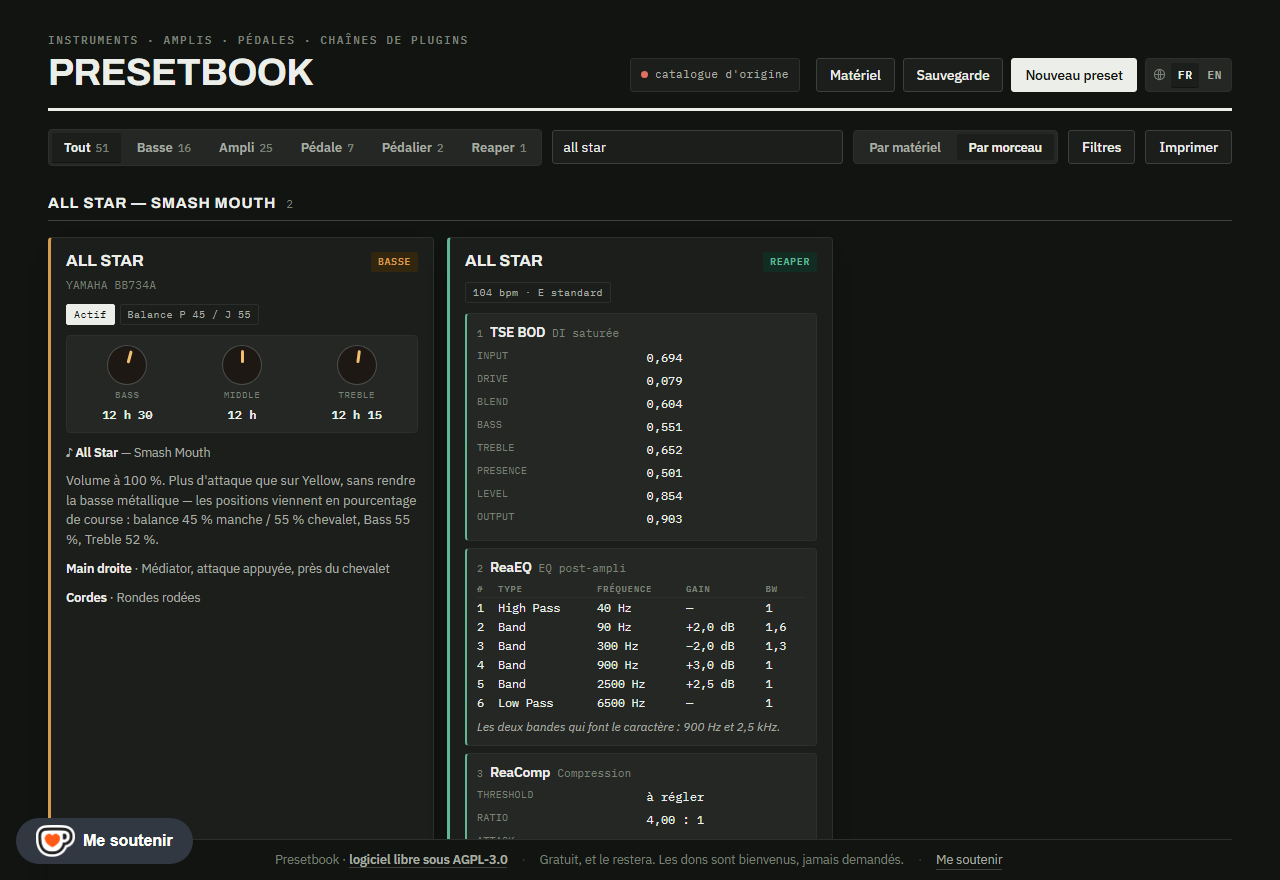
What you can store: an instrument, an amp, a single pedal, an entire pedalboard, or a plugin chain. Each entry can be linked to a specific song—this lets you instantly pull up the bass, amp, and signal chain for a particular cover song, just like in the image above.
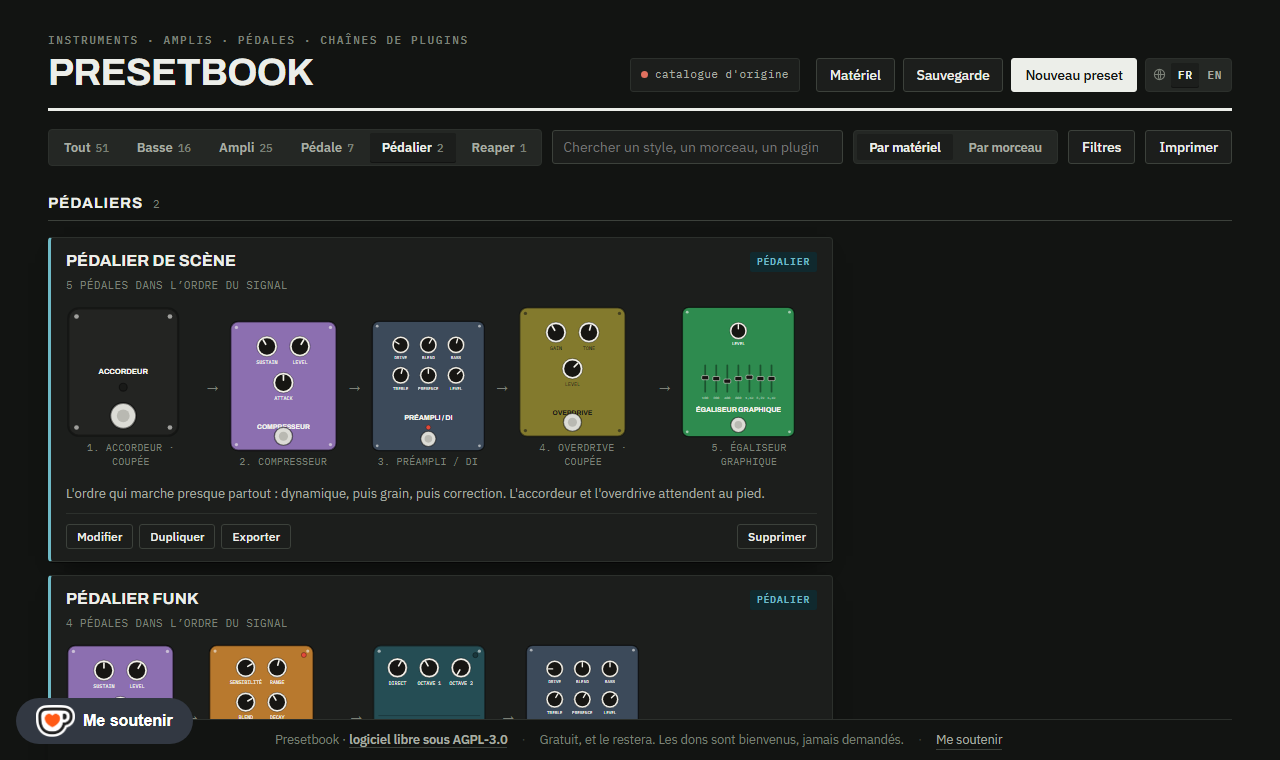
Pedalboards are visually rendered in signal-flow order, showing knobs at their specific settings and bypassed pedals in gray:
Reaper chains can be imported and exported as .RfxChain files. Five plugins have their formats fully decoded and are editable within the app (TSE BOD, ReaEQ, ReaComp, ReaVerbate, and the saturation JSFX); all other plugins are preserved as-is. 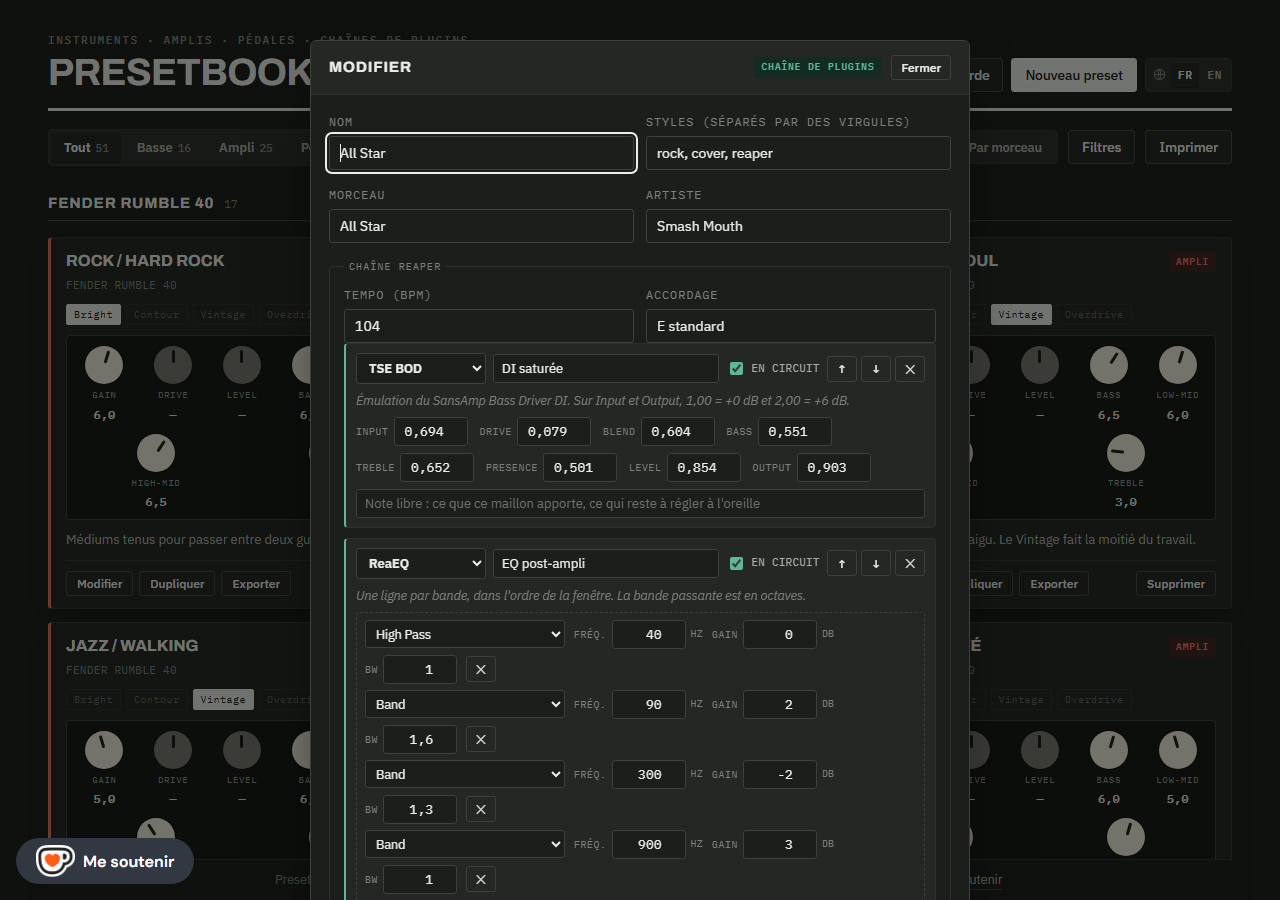
It’s not just for bassists. The included catalog is my own, so yes, it features a BB734A and
a Rumble 40. But nothing in the tool is specific to bass: a front panel is defined via
the interface—its knobs, knob types, modes, and circuit output—and the display is generated
accordingly. Guitar, keyboard, synth, drum machine: if it has knobs, you can catalog it. You can
even design your own pedals, including colors and knob placement.
Interface available in French or English (including the catalog, though proper nouns remain
untranslated).
Try it out
A demo account is open to everyone: https://presetbook.fuzzinvaders.space
Use the “Try the demo” button on the home screen, or log in with demo / demo. This
account resets whenever the server restarts, so feel free to break things—just don’t
store anything there that you want to keep.
A real account, upon request
If the tool is useful to you, I can set up an account for you—just send me a private message
with your desired username. Your entries will then be yours alone, kept separate from
everyone else’s and saved permanently.
Three things to know before asking, just to be clear:
- I’ll send you the password via private message, and there is currently no screen to change it
or email recovery option. Do not reuse a password you use elsewhere; - this is a personal server hosted at my home, not a commercial service. I perform backups, but do not store anything there
that you don’t have a copy of — the app has a Backup button that exports everything, and an
Export button on each entry; - if you prefer not to rely on anyone else, the app can be self-hosted with a single command (see below).
Self-hosting
docker run -d -p 8080:8080 -v presetbook-data:/data ghcr.io/fuzzinvaders/presetbook:latest
Public image, amd64 and arm64 — it runs on a Raspberry Pi. The server has no dependencies
(one Node file, one HTML page), so npm start works too. Upon first launch, no account
exists: the first one created becomes yours.
The code
Open-source (AGPL-3.0), free, with no trackers or third-party accounts. Passwords are never
stored (scrypt derivation with a per-account salt), nor are session tokens—only their
fingerprints. The only external script on the page is the Ko-fi donation button, and it only loads
after logging in, ensuring it never shares the page with a password field.
Donations are welcome but never solicited: nothing is restricted, nothing expires, and no features
are paywalled.
I’m interested in your feedback, especially regarding missing front panels — adding one
takes just ten minutes.