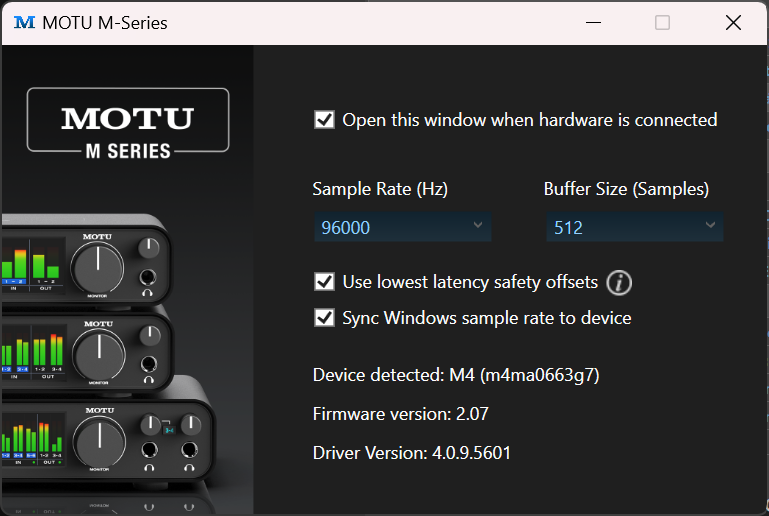
I always use a very high sample rate as this has a positive effect on the sound quality of the background track I’m playing at slower speeds (think: 80% of original speed, when I’m learning a song).
For the Motu M4, 512 buffer size is ok in terms of latency (5.3ms). And most of the time ok in terms of distortions/crackling. But in my “shape of heart” cover I had some strange noises again at the end of the song.
This happens rarely, but of course always when I play stuff “right”
On my Zoom AMS 24 (with a different notebook), I always have some crackling at the beginning of a session. It disappears after a few minutes of practicing. Very strange…
I wish there was a way to set buffer size automatically. It should be easy to create an app that sets a buffer, sends an audio stream, compares latency and quality, and iterates until lowest latency with stable audio is selected.
For the backing track, just drag it in to the DAW as a mp3, sample rate should have no effect on it.
One thing to always do in the DAW first - always - is make sure you have the BPM set correctly for the song. Then the measures will line up correctly and also you can now also analyze the song using the waveform from the original track.
BTW, another potential source of distortion on the input can be overdriving the DAI preamp and clipping. Generally you want to target around -8 to -12dB or so on the input level meter to leave enough headroom for your peaks. Some people target lower than that. If you are playing where it’s routinely up in the yellow you may have an issue with headroom and get some clipping distortion. I know it’s tempting to max out the RGB’s but it’s a bad plan
I always use FLAC, never MP3! Mp3 has too many artefacts, I cannot listen to it…
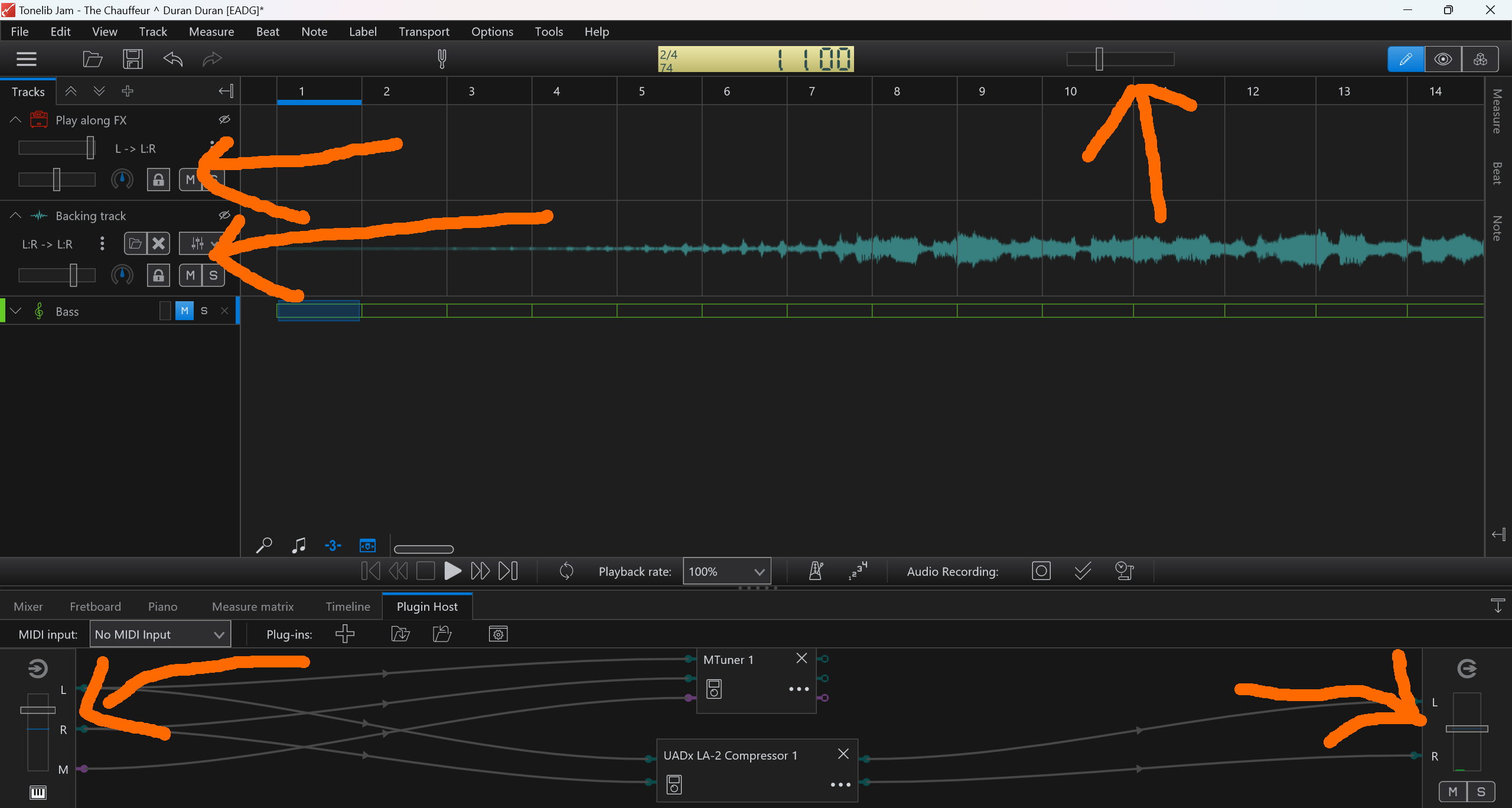
Also, this is for practicing with Tonelib Jam, not a DAW.
With Tonelib Jam there is a noticeable difference with playing songs slower, using 44/48KHz and 96KHz. I even convert tracks themselves from 44KHz to 96KHz, so they play back better when slowed down.
This surely is a bug in ToneLib Jam, but as it is my daily practicing tool, I need to use those stupid workarounds…
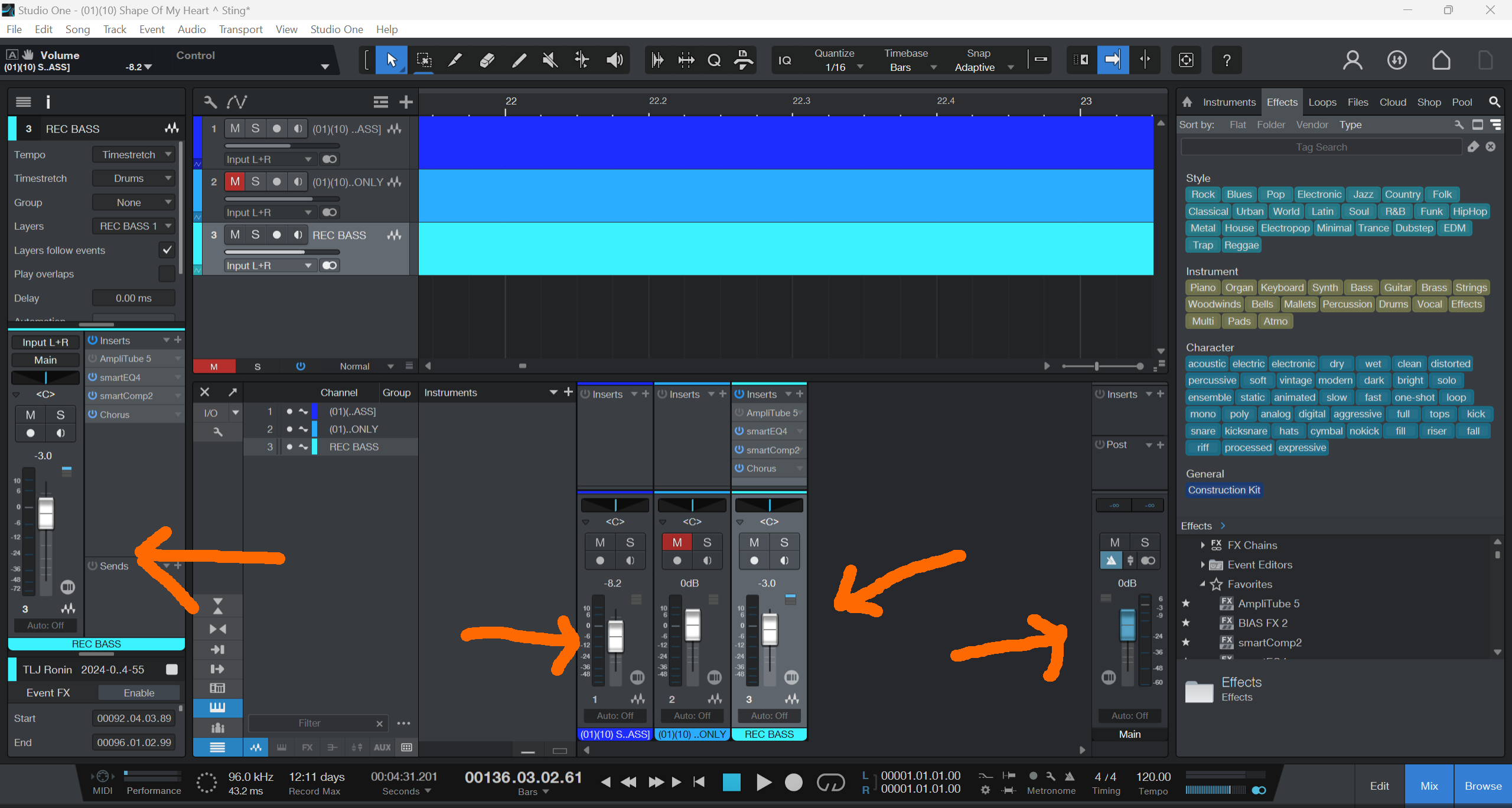
So, this is funny: I always pay close attention to the level meters when recording and when merging the bassless background track with my bass track as well as adding EQ and compression in my DAW. They only show green, never yellow or even red.
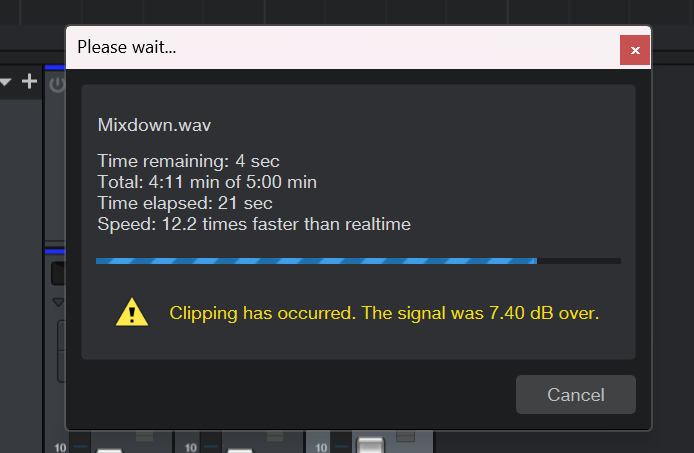
Still, with both my last covers I get this error when creating a mixdown in Presonus Studio:
You should target around -2dB max peak for the final master. A master limiter would help but 7dB over means you were more than pegging the DAW’s meters on the master track out as well.
Having done a few covers now, when I record I’ve settled on -9 as sort of my default. The track I’m playing to, I’ll set somewhere in the -9 to -12 range depending on how much I need / want more bass coming through. That gives me enough room that I can tweak it once I’ve got it recorded. Setting the BPM before I record and playing with the stem split track in Garageband / Logic means I don’t have to fight to merge them after the fact.
If one doesn’t first set the BPM correctly, then most of the DAW features that are time based (like all MIDI) will not work, the measure lines will not line up with the actual measures and beats in the song (meaning you lose a free beat ruler that you could otherwise be using to determine how good your timing is), and the only reason this isn’t a complete catastrophe is that for bass covers to a backing track, it’s possible to just use the DAW as a glorified tape recorder and get away with it, which is really only a minor part of its features.
It will not have much effect for just covering to backing tracks, but for actually producing music, it’s a terrible habit to get in to, because fixing the BPM later can be a pain.
Ok, understood.
But I am using the DAW as a glorified tape recorder in a way.
The bassless background track already exists and I just add my recorded bass track and synch it. That’s it (except for effects).
In fact I use the DAW exactly like I would use a video editor. Don’t need MIDI stuff or anything else than those two tracks and the plug-ins.
So, for this use case BPM is only nice to have, right?
Unless you want a count-in/metronome, or a click track, or a free visual guide to your timing, or want to add any effects that are time based, or…
Lots of features in the DAW are time based. In a sense you’re asking if most of the DAW is “nice to have”, and yes, it is indeed very nice to have and learn how to use.
I just find it an unnecessary pain in the ass to try and sync the split track with the recorded track after the fact if they’re off by more than a few bpms. Much easier and lazier to just record them together and not have to think about it. K.I.S.S imo.
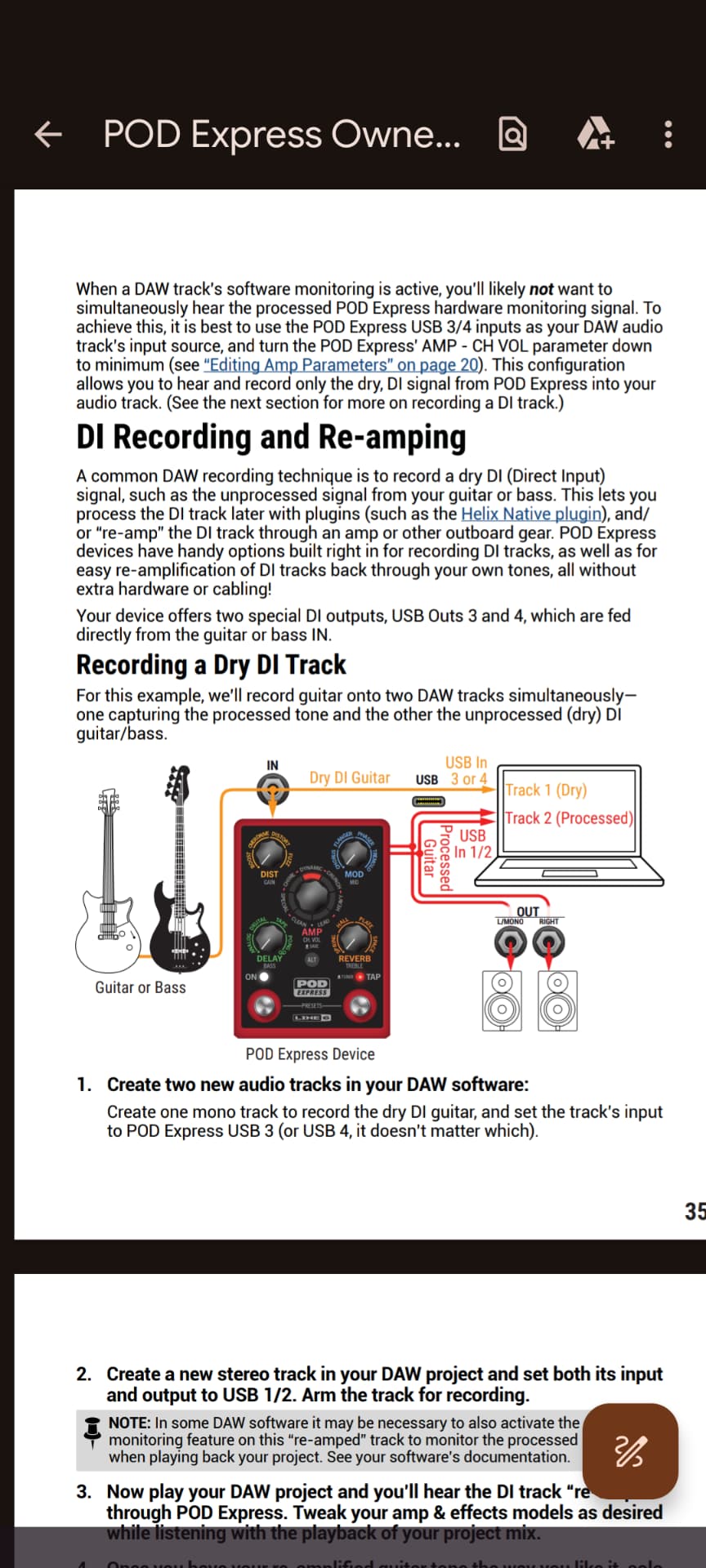
Do you need a DAI (or more specifically, do I)??? I recently went to a music store that left me scratching my head a bit… So I purchased the Line 6 POD Express Bass Effects processor which also has an effects app that I downloaded onto my MacBook Air. I plug in everything as follows:
Bass —> Line 6 POD —> MacBook
(I connect a single powered speaker to the headset jack of the Line 6 POD)
On the MacBook, I can control the effects of the Line 6 POD via the Line 6 Editor app. In this way I think it acts like its own DAW, albeit not with all the bells & whistles of others. I don’t record, sing, or have other instruments. I just open Songsterr on a nearby iPad and play along on a separate Bluetooth speaker. I don’t have any intentions to take it any further than just playing along.
I went to the music store to ask if there was a better way to connect my one small powered speaker as I have it connected to the headphone jack of the Line 6 POD. There are also two 1/4” connectors on the back of the POD. The store salesperson said I should get a DAI like the Focusrite Scarlett Solo. Plug my Line 6 POD into that, then the Focusrite into my MacBook. I could then plug speakers into the Focusrite.
Okay, but…
Couldn’t I just get an adapter to change the 1/4” Line 6 POD outputs to 3.5mm and plug speakers into them?
I’m also wondering if I couldn’t download a free DAW or use Garage Band and just use my Line 6 as an interface to speakers?
I’m not sure what I would benefit by adding a DAI do to my current setup.
An audio interface of some kind is required to record audio on your computer.
Your computer has a microphone input built in its sound card, but it is not very good and will give poor results with instruments.
If you want to record high quality audio on your computer, a DAI is your best option.
They are also convenient in that they serve as excellent sound output devices, and will nicely drive monitor speaker line outs with professional grade balanced outputs and a decent headphone amplifier built in.
Better ones (not the Scarlett Solo) are also capable of limited input and output mixing and direct monitoring in a convenient way, which is nice.
I think Bill’s right on this one. The biggest benefits to using a DAW (garageband is the way to go imo since it’s already installed) the way you’re currently playing is being able to have your music and bass coming from the same output, the headphone jack on the Mac in this case, and be able to set the volume so you get a good sounding mix. It also let’s you play with some of the free plug ins in garageband. It’s like having a whole other set of effects, amps, and cabs to play around with in addition to the ones in the Pod. I’ve got a big nasty combo amp and more times than not, the sound is coming from the headphone jack on my Mac to the aux in port on the amp.
If the Pod has some kind of DAI built in, are you sure you can’t run it through garageband already? Might be worth playing around with to see. It looks like it can from the diagram.