If you’re looking for fixing things like that though I would probably suggest using Melodyne rather than the DAW builtin (except for Cubase and Logic, which basically have Melodyne built in). That way it’s easier and more visual (at least IMO) to get as surgical as needed.
I have Melodyne Essential 5. Would that be sufficient?
Still, I will try to have the built-in quantization working.
I just rechecked: when I put audio files A, B and C on a track and split file A to three clips A1, A2 and A3 on that same track, and I quantize A1, it will also quantize A2 and A3 … but not B and C.
So quantization always affects the whole file, even if I split it into indivividual clips.
I want to quantize A1, A2 and A3 individually. This is one thing where Studio One Pro behaves different from any video editor I have worked with
This also depends on the DAW. With Bitwig, it defaults to operate on the entire clip, regardless of how you split it. With Reaper, it only affects the selected item.
Try Melodyne instead, especially if you just need to fix a few things.
BTW: you could always just bounce (render) the selected clip to a new audio track. Then you get a new clip (as it’s a new file). Some DAWs will also let you bounce in place.
Or just try copy and paste. That will also work, it’s just a new clip and not a new file; in Bitwig this quantizes separately.
Ah, I just did that for another clip and a different reason.
Tried it again for quantization … and it …. WORKS PERFECTLY!
Can I ask what to philosophy behind this is? I find it quite complicated, but again: I’m coming from video editing. Here I can either put an effect on a track and/or on individual/independent clips on that track.
It’s much more logical in my opinion … easier in terms of usability, and also there are no side effects if you edit one clip (affecting other clips from the same file) and have no oversight where the other clips belonging to the original file are.
Different DAWs work in different ways. Like I said, Reaper works like you expect it should; Bitwig slightly differently; Studio One differently. They all have slightly different idioms for items, clips and files.
So after a couple months of owning the Bitwig Connect 4/12 I would say that I would suggest to consider this an interface with two audio inputs, and two CV inputs that can be used as partially supported audio inputs as well. Inputs 3 and 4 are not fully usable inputs in that they cannot be direct monitored, there is no gain control other than a 0/+12dB switch in software, and they are disabled as audio inputs at higher audio rates. For me they are not great. Inputs 1 and 2 are though.
It really needs ADAT badly, because it’s an excellent monitor controller but very limited in inputs. The lack of ADAT is a real head-scratcher in a $600 interface.
No kidding. My $300 PreSonus Studio 1810c has 8 channels of ADAT, a S/PDIF channel and MIDI I/O ports.
Sadly, it’s in the box that my RME Fireface UCX II came it. I’d love to use it with my new Surface Pro Snapdragon tablet, but PreSonus still haven’t released a native Windows ARM version of Universal Control. So…I bought a Focusrite 4th gen 4i4 to use until PreSonus releases an ARM driver.
TIL that the Presonus interfaces, even the rack units, cannot direct monitor without a computer on. If that’s true that rules them out for me as I like using interfaces as monitor controllers as well even when not on the computer.
Neither can most Focusrites.
As an engineer I am starting to get borderline mad that the Connect 4/12 is lacking ADAT. What were they thinking
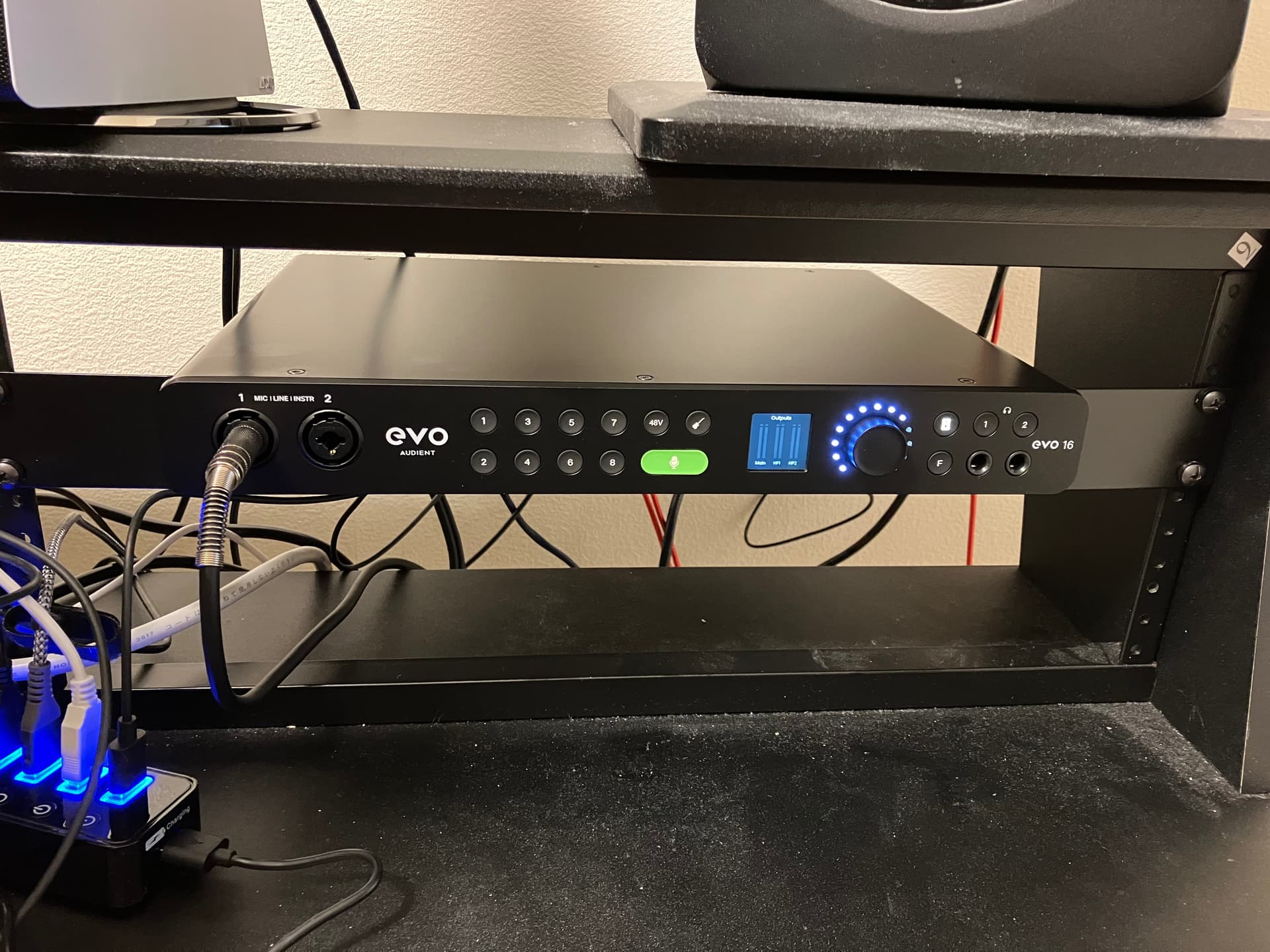
Mac multichannel in via USB. PS5 stereo digital in over S/PDIF connected via TOSlink from a HDMI splitter. Minifreak stereo in to line inputs on the back. Bass and guitar into instrument input on the front. SM58 will go in to the other one when I am using it.
Still have 4 combo inputs on it plus up to 8 more if I add an ADAT expander, and having the deskspace back is nice. Which of course I immediately thought “hmm, room for another synth” because of @itsratso.
Also up to 24 outputs but I currently only need two.
I’m using a Focusrite Scarlett Solo but yesterday it just stopped working after only using it for a couple of months.
All the lights are on when its plugged in but I’m getting no sound out of it and it clearly doesn’t read the input from my bass as usually the lights respond to the input.
I’ve heard their curtomer service is good so hopefully they can help me out, but it kinda sucks as I’m stuck playing without an amp for now.
Why would you run an external digital synth (which offers audio out via USB-C) through a DAI to get into the DAW?? Wouldn’t you re-digitize an analog signal that was digital to start with??
If I want to mix digital (synth) and analog (bass) signals going into a computer/DAW, how do I best do that? I don’t think I can specify two different audio input sources for my DAW (DAI and USB-C), or can I??
The first is that the synth, while supporting USB, only supports MIDI over USB. This is common. Hydrasynth, MiniFreak, Nords, etc are like this as common examples.
A second reason is the synth may be digital but has desirable analog components in its output, making it a hybrid synth. A good example of this is my MiniFreak, a digital synth with a nice analog SEM filter. In this case you want to record the audio.
Another common case is if you are also using your audio interface as a standalone mixer and monitor controller. In this case you want all the audio to run into it. This is also me.
Another case is if your synth has optical outputs as well (S/PDIF or ADAT). These need to go into an interface.
Finally, some people may just like it for workflow/studio organization.
Depends on the DAW but generally this is another good reason to run everything into an audio interface.