Hey @Ed I liked that a lot. Barry White is on my job site playlist numerous times. Really nice tone/mix.
How do I make videos? I put my Iphone on a little tripod on my desk, I record the video on that, I also record me playing in GarageBand at the same time (my DAW).
I create a separate folder for each cover and pull the various files I need into that. So I drag in my Iphone video file, my GarageBand finished mix track, plus any video or still images I want to use.
To grab video I want to use from YouTube I use this:
Copy and paste the appropriate URL of the video you want and choose MP4 to get the video file. If you choose MP3 you get a copy of the audio of the video.
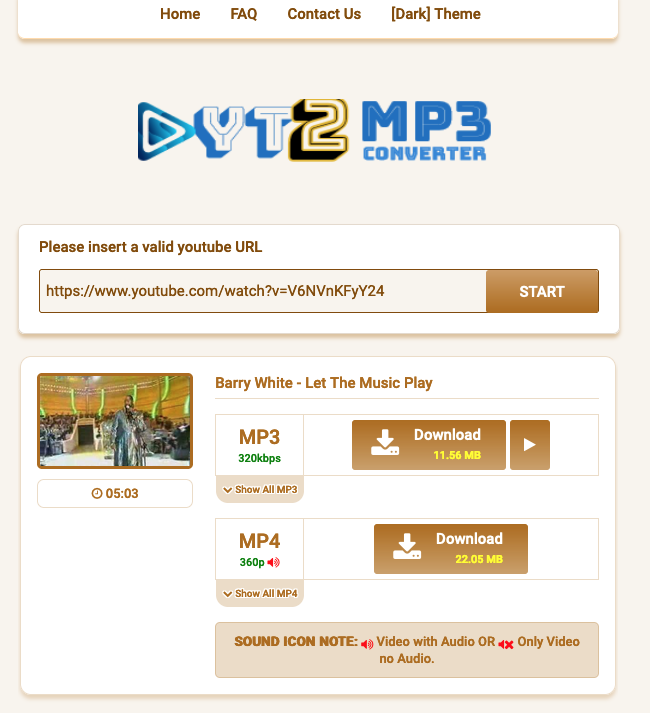
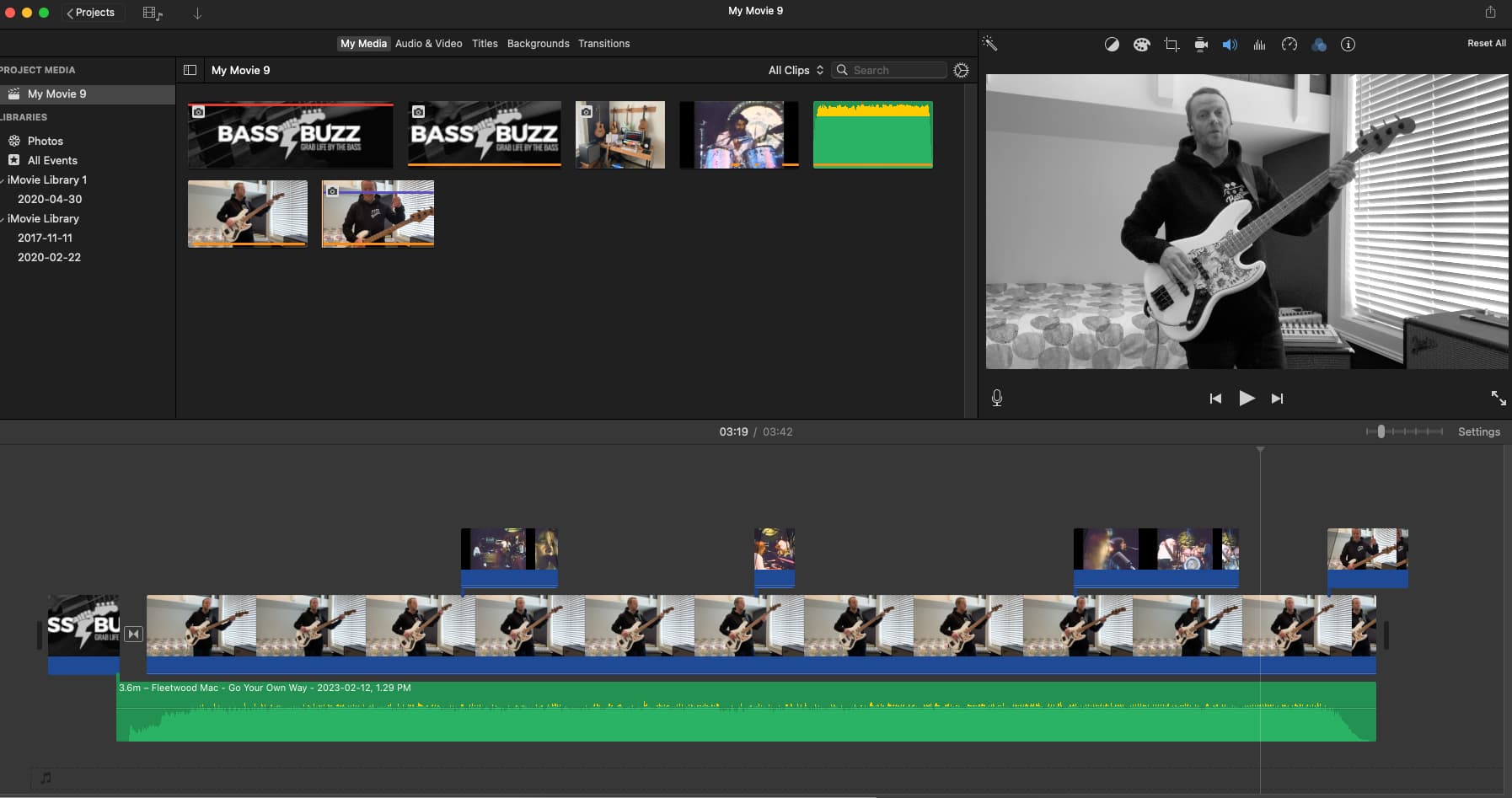
I drag this MP4 file into my covers folder. I now have all the parts I need to make the video. I use Imovie for this. I drag into the timeline my audio track and original video and sync the two up manually. It’s a pain but I’m getting quicker.
Once I’ve done that I drag the other video into the timeline above my video. I then splice that video up into short parts that I think are interesting. I delete most of this video ending up with fragments of the stuff I want. Then drag them around to the point in the song i want.
Once I’m happy I export the movie from Imovie and upload to youTube.
For the Blinding Lights cover I used a lot more of the video I’d downloaded because there’s really not much going on bass playing wise plus I really thought it fitted the song really well. I guess there are no rules. Just have fun.