I have a sample that says “Hurensohn” (= “Son of a Bitch”)
I want to manipulate it, like this: “huuuuuuuuuuuuurrrrrrrrreeeeeeeeeeennnnnnnsssssssssoooooooooooooooooohhhhhhn”
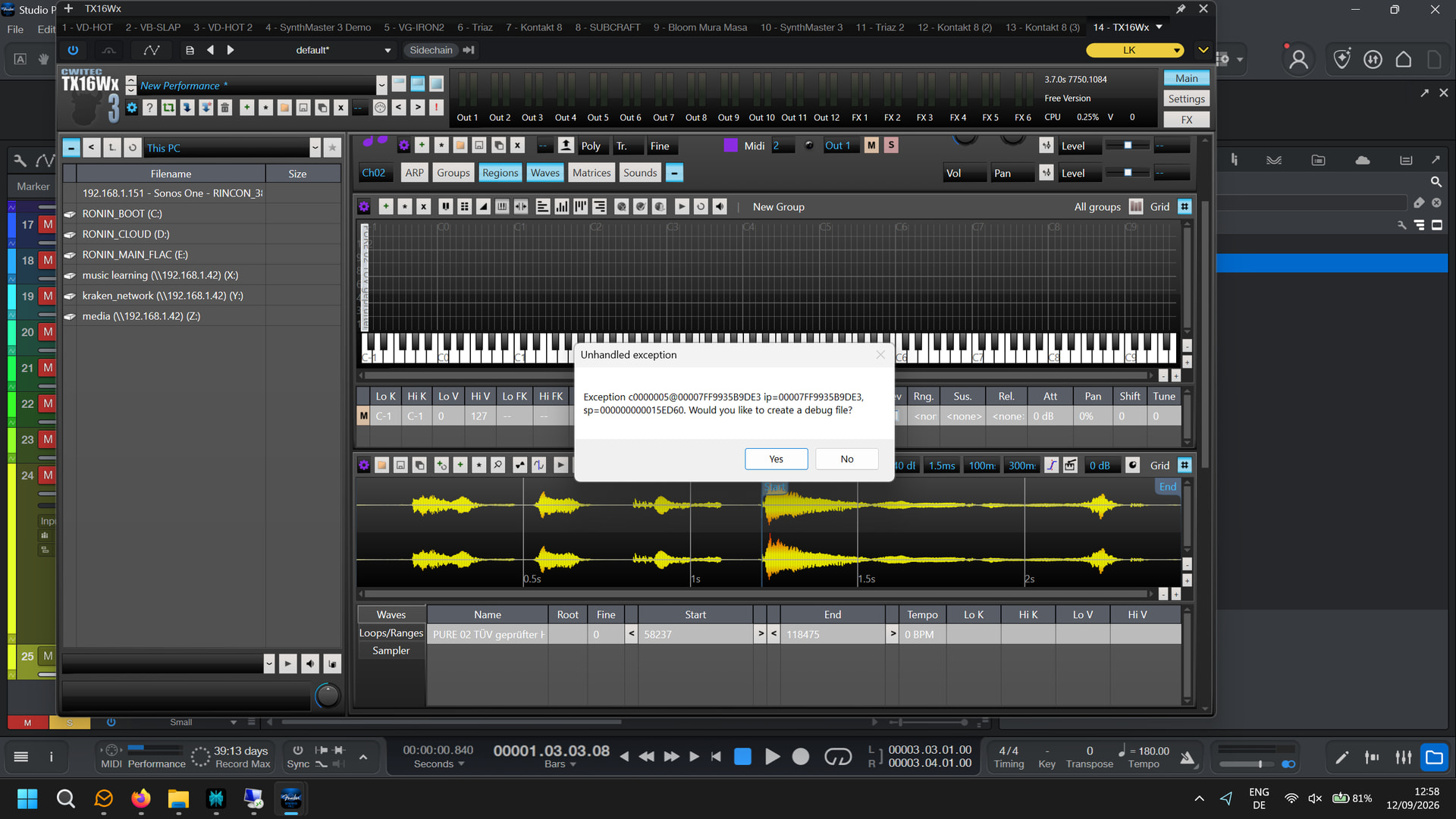
So, I guess I need to slice it like this /H/u/r/e/n/s/o/hn/, adding it to the sampler and then assign a MIDI pattern to get the effect that I want? I know, this is different from the gating approach, but might give me some more degrees of freedom.
I learned from Perplexity that MeloDyne is not the right tool and I learned from testing that the Studio One built-in tool is not great for this (in auto mode)
Question: how do you slice? Manually?
Also, I have a sample where I want to do something differently:
The sample says “TÜV”
In this case I want to slice it like this /T/Ü/V/
When playing via the sampler, I want to hear “T” at key press. While holding, I want to loop “Ü” and when released I want to hear “V”.
The difference with the previous use case (“Hurensohn”) is, that I want to play this sample with one key, and use different keys for pitching.
My problem is to slice the samples right. MeloDyne does not give a proper indication for the exact location where to slice, the bend tool from Studio One also fails.
And my experiments with manual slicing are very tedious.
Not sure what you mean but it has a sample editor and developer mode for creating presets (which is what you are trying to do, just in the maximally tedious way)
Getting a good sampler will open a lot of doors for you. They are every bit as much a musical instrument as your bass is, so can take time to learn, but are very capable.
For example, one way to do what I think you want in a sampler with an actual brain (like, say, the one in phase plant) even without slicing or editing would be to set an LFO to DAW time sync and a sawtooth wave, use that to modulate the sample start offset, and then just use the MIDI editor to draw notes where you want the sample to play.
You could also probably do real interesting things along the lines you want to with a Granular oscillator.
Pigments can do granular too, right? So, Grainferno makes no sense…
I’m still reluctant. All granular stuff I heard up to now was some very noisy background synth stuff I don’t need.
Also, on my priority list I have:
A proper synth solution. Simple, powerful and giving me a comprehensive approach to all kinds of tones
A sampler that also solves my splicing nightmares
Granular stuff, maybe
That said: I am planning to move a little more to my own recorded samples. This week I started to not leave my home without a Zoom Mictrak M2, so I could sample interesting noises
“Is that a Zoomtrack in your pocket or are you just happy to see me?”
I’m experimenting with “Einstürzende Neubauten”-style songs, but have not managed to convince my park punk chick that punk and hiphop is for pussies, and Avant Garde Industrial is where non-conformism and true art lives!